
All plans
Recording ingredients
Ingredients are the base of your COGS and stock. Record the unit, purchase price, and minimum stock.
Available on Starter, Growth, Enterprise
- 1
Add an ingredient
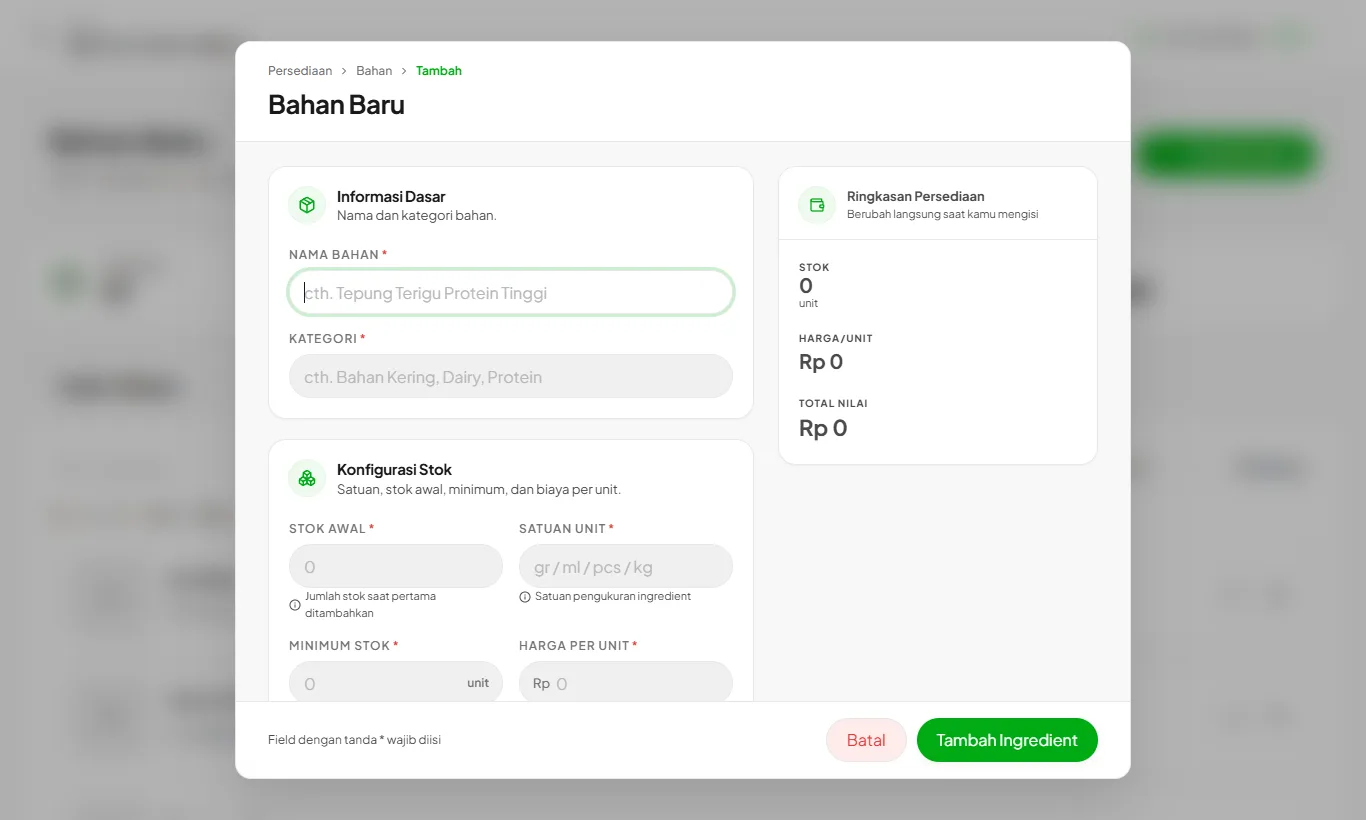
Open Ingredients and press Add Ingredient. Fill in the name, category, smallest unit (gram, ml, pcs), price per unit, and opening stock.
- 2
Set a minimum stock
Ingredients below this number are flagged as low on the dashboard and appear in Reorder.
- 3
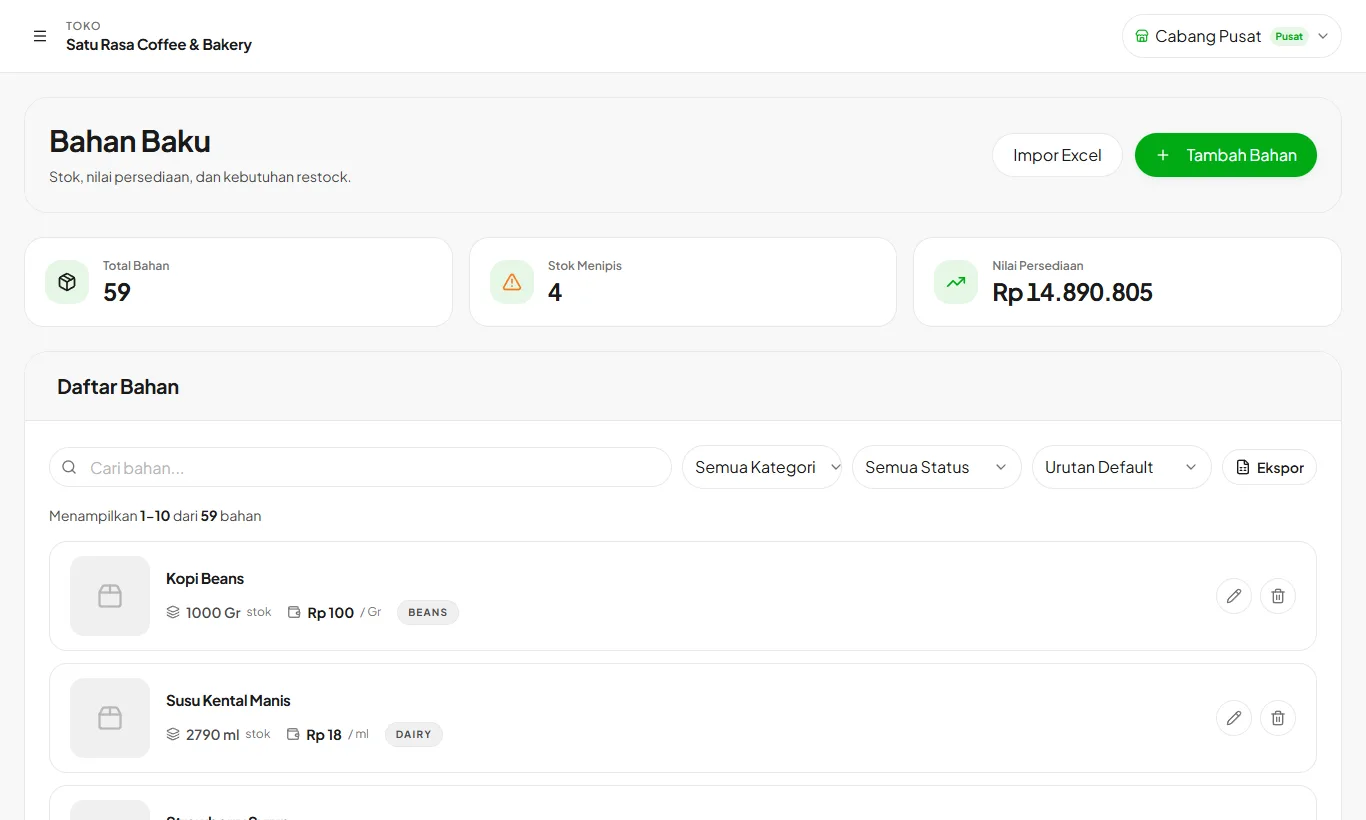
Monitor from the list
The ingredient list shows stock, inventory value, and status. Export it to Excel or PDF.
Lots of ingredients? Use Import Excel on the same page.
Ready to try it in your store?
Sign up free and follow this guide right in the app.