
All plans
Adding staff and permissions
Invite cashiers and managers with their own accounts. Each role only sees the menus it is allowed to.
Available on Starter, Growth, Enterprise
- 1
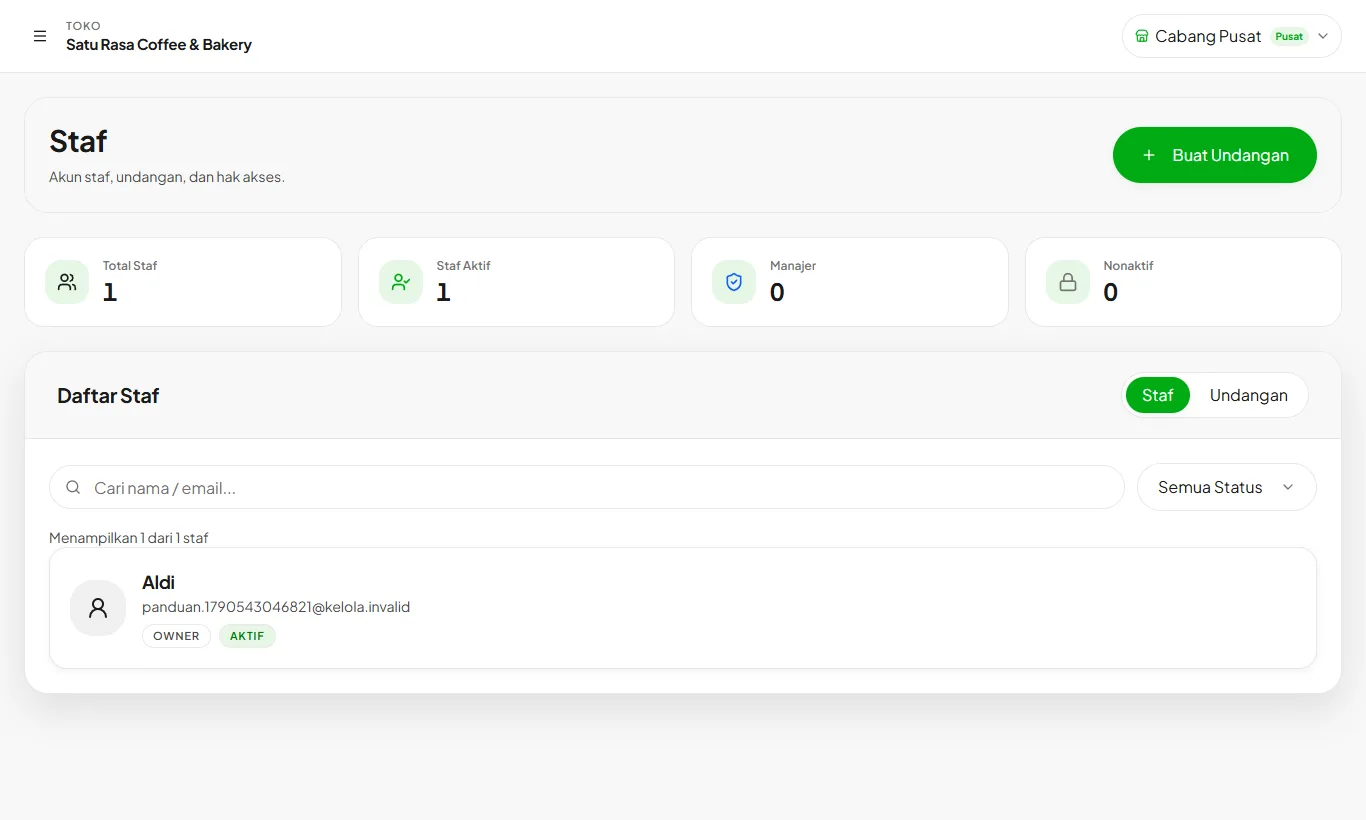
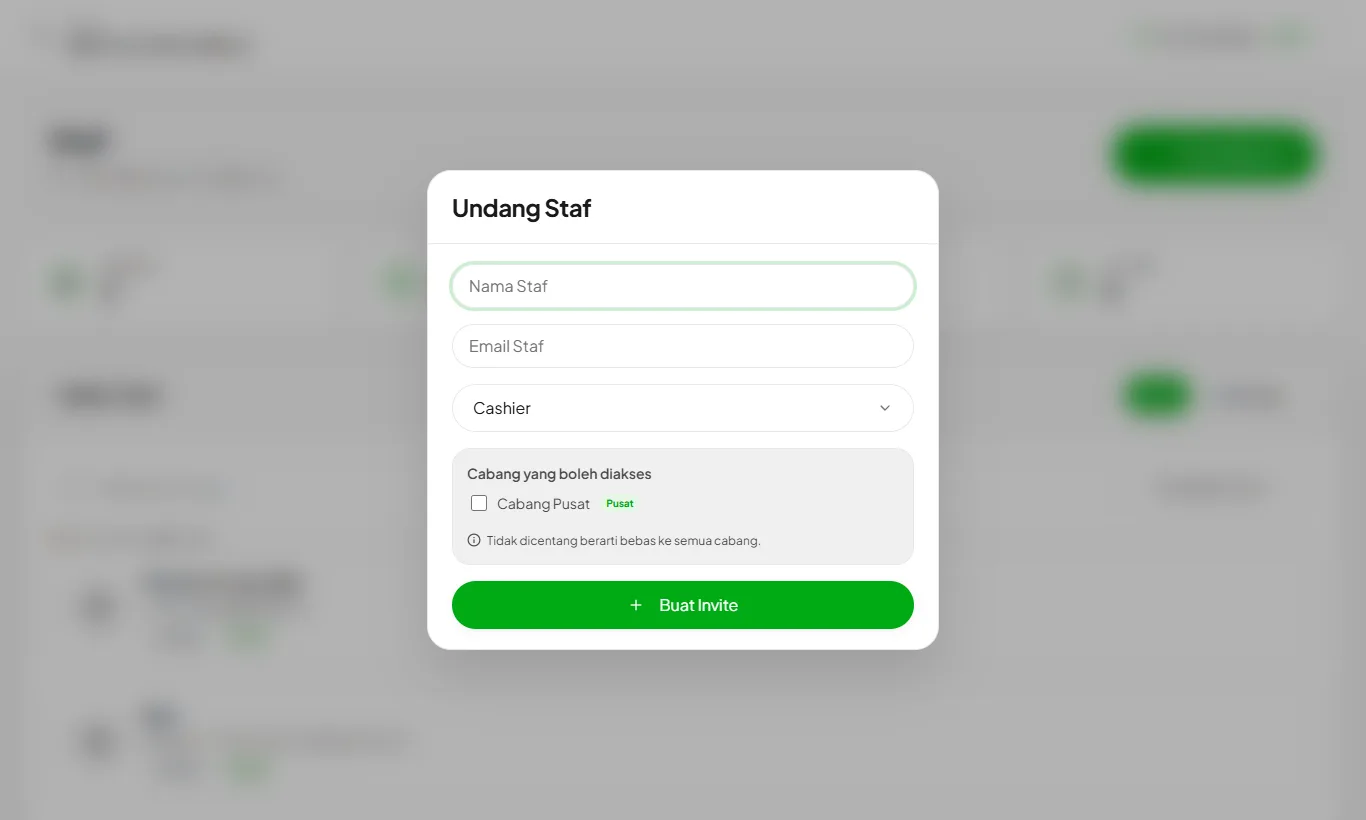
Create an invitation
Open Settings then Staff, press Create Invitation. Pick a role: cashier to sell, manager to handle stock and reports.
- 2
Share the invitation code
Staff sign up on the staff registration page with that code. Their account is linked to your store right away.
- 3
Manage staff status
Deactivate staff who leave. Their transaction history stays intact.
Staff limits follow your plan: Starter 3, Growth 10, Enterprise unlimited.
Ready to try it in your store?
Sign up free and follow this guide right in the app.