- Improvement
Customer and kitchen screens save power automatically
GrowthScreens sleep when the cashier shift closes and wake when it opens. A screen that stays off for 7 days is unpaired, and the owner is told on WhatsApp.
Release history
Application Update History
What changed in the Kelola app, newest first, and which plan each change reaches.
- New feature
Change options right from the cart
Variants and add-ons of an item already in the cart can be changed with the Edit button, without removing it and picking again.
- New feature
Add-ons without upgrading
Add branches, staff, products, or a single feature beyond your plan, set up by the Kelola team. Add-ons turn on once paid in the Subscription menu, follow your plan's active period, and appear as separate lines on the invoice.
- New feature
UMKM Collaboration Program
Business owners active on Instagram or TikTok can use Kelola for free or at a lower price by posting 4 pieces of content a month, plus commission from every store they invite. Details are on the Collaboration Program page.
- Improvement
Your store data is safer
Your sales, stock, and reports are now copied automatically every day. If something is deleted by accident, the Kelola team can bring it back.
- Improvement
Accounts are harder to break into
Repeated sign-in attempts and code requests are now blocked automatically, and Kelola is watched around the clock so any disruption is handled quickly.
- New feature
Dine In or Take Away
Turn it on in Store Settings so the cashier picks Dine In or Take Away for every order. The type prints on the receipt, shows on the kitchen display, and the packaging fee is charged only for Take Away, per order or per item.
- New feature
One-tap app install
The Install the App button on the sign-in page, sign-up page, and Home installs Kelola right away on Android and computers, and shows the steps on iPhone and iPad.
- New feature
Official invoice for every payment
Every subscription payment now has a numbered PDF invoice with a PAID stamp, downloadable in Subscription, and paid referral commissions come with a commission slip.
- Improvement
Ready orders reach the buyer's phone
GrowthThe QR Menu order page now rings and vibrates when the order is ready, the receipt QR pager gets the call instantly, and customers picked from the customer list are notified on WhatsApp too. The customer screen is back to promos and transactions only.
- Improvement
Faster customer screen and kitchen display
GrowthThe cart and kitchen queue reach the screen instantly without reconnect gaps, and the screen keeps showing the last content if the store internet drops for a moment.
- Improvement
One free trial per owner
The free trial is available once per email and WhatsApp number, and the sign-up code is sent on WhatsApp.
- Fix
Variant measurements stay saved
Custom variant measurements, like extra coffee and milk for a Large size, no longer fall back to the base recipe after the product is reopened, and option-group variants stay selectable at the cashier after editing.
- New feature
My Referral Code
Store owners can now turn on their own referral code in the Referral menu, share it on WhatsApp, and earn 10% of every payment from the stores they invite for as long as those stores subscribe.
- Improvement
QR Menu and reservation QR told apart
GrowthQR posters are now labelled QR Menu or Reservation so they never get mixed up when printed, and the QR Menu no longer shows a Reservation button since guests scanning at the table order right away.
- New feature
Accounting and balance sheet
EnterpriseJournals, the general ledger, trial balance, and balance sheet build themselves from your transactions, with fixed assets, a daily PBJT recap, and export to Jurnal.id and Accurate.
- New feature
Prepped ingredients and production
House-made syrup, stock, or dough now has a production recipe. Press Produce to deduct the raw ingredients and add to its stock, with COGS that rises when its raw ingredients get pricier.
- New feature
Store info via WhatsApp
Customers type MENU, JAM, LOKASI, or RESERVASI to the store bot number and get an instant answer from your store data: menu link, opening hours, address with a map, and reservation link.
- New feature
Alerts and summaries on the owner's WhatsApp
Cash differences at shift close, voided transactions, and ingredients running out go straight to the owner's WhatsApp, plus weekly and monthly summaries with the PDF. All can be turned off in Notifications.
- New feature
WhatsApp for your team and suppliers
GrowthSend shift schedules and payslips to staff WhatsApp, with a reminder before each shift. Purchase orders go to the supplier's WhatsApp, and an OK reply marks them Confirmed.
- Improvement
Richer customer WhatsApp updates
Deposit receipts and a reminder the day before pickup, points and tier upgrades on the WhatsApp receipt, and win-back templates that run automatically.
- New feature
Campaign message templates
GrowthDozens of ready-made templates for promos, birthdays, lapsed customers, holidays, and more, plus your own templates. Placeholders now read as Customer Name, Store Name, and Points.
- New feature
Kelola Capital coming soon
See your capital readiness from cashier data, then prepare your application details and documents, compiled into one PDF package for a bank. Financing comes from OJK-licensed partners, free and non-binding.
- New feature
WhatsApp Assistant
GrowthCustomers just send KOMPLAIN to the store bot number, and the complaint is forwarded to the WhatsApp of the owner and managers, or cashiers when there is no manager. Customers can also reply ISTIRAHAT to pause promos for 7 days, and messages the bot can't answer get a polite reply.
- New feature
Invite staff by WhatsApp
Staff invitations can now go out by WhatsApp or email, and new staff get a WhatsApp welcome. Every account is asked to add a verified WhatsApp number when signing in.
- New feature
Daily report on WhatsApp
Owners get a summary of sales, profit, best sellers, cash difference, and low stock on WhatsApp, with the PDF attached. Email still works and both can be set in Notifications.
- New feature
Store WhatsApp with a QR scan
Connect the store's WhatsApp number by scanning a QR in Settings. Receipts are sent as images, and guests just reply YES or CANCEL to their reservation.
- Improvement
A more comfortable dark mode
Cards, labels, and buttons in dark mode no longer glare and their text is clearer. Pages your customers open, such as the QR menu and legal documents, stay light.
- Improvement
Attendance nobody forgets
GrowthAttendance is now switched on in Store Settings. When on, cashiers and managers are greeted by a Clock In screen and reminded to clock out when the shift ends.
- Improvement
A fresh cashier cart
Customer, promo, and discount now sit in one row of buttons, items show their photo, and the payment method is picked after tapping Pay (number keys work too).
- New feature
Order-ready calls
GrowthThe order number shows large on the customer screen with a chime, and guests who scan the receipt QR get their phone ringing when it's ready.
- New feature
Table floor plan
GrowthLay out your tables to match your space, then pick a table straight from the plan when saving or moving a bill at the cashier.
- New feature
Deposits for orders and reservations
GrowthTake deposits for cake orders, catering, or reservations, including from the online reservation link. The deposit comes off the bill automatically at pickup or arrival.
- New feature
GoFood and GrabFood order channels
Set each platform's menu and prices in one place, commission included. The cashier just picks the order source, and the sale is tagged in History and exports.
- New feature
New customer screen
GrowthA new design, QRIS on screen, promo videos, and each screen can be a cashier or promo screen.
- New feature
Printing for cashiers
Cashiers and managers can connect printers, set up receipts, and reprint receipts, kitchen tickets, or labels from History.
- Improvement
Light and Dark themes
Choose a theme with the morning and night pictures in Store Settings.
- New feature
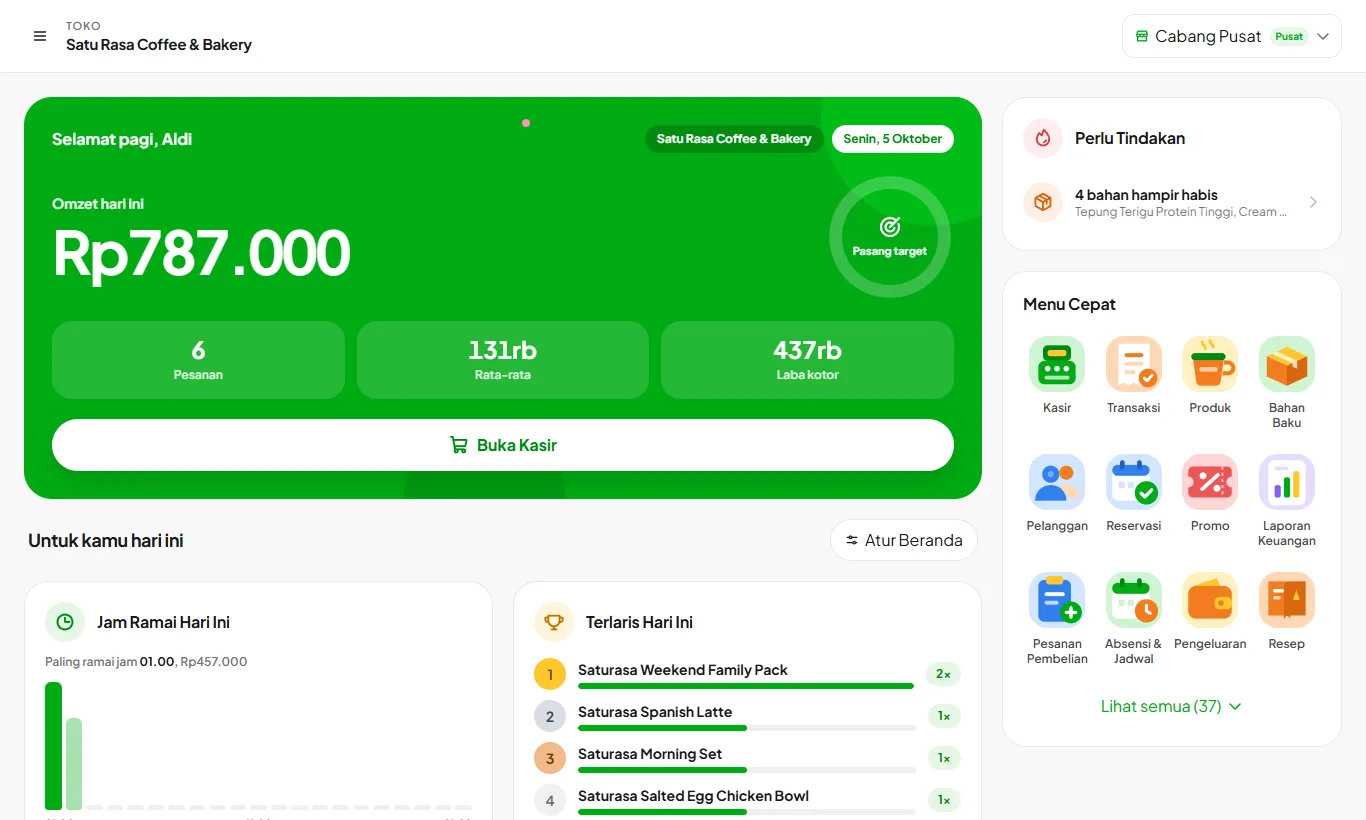
New Home
Today's sales, targets, and what needs attention show up as soon as you open the app.
- New feature
Notification bell
Alerts and Kelola news are gathered in one place.
- Improvement
Faster checkout screen
The checkout screen opens and responds faster.
- New feature
Split payment
One order can be paid with several methods at once.
- New feature
More flexible promos
Set hours, days, quotas, coupon codes, and spending rules.
- New feature
PIN approval
Refunds and large discounts need a supervisor PIN.
- New feature
Table reservations
GrowthTake reservations at the cashier or through a link you share with customers.
- New feature
Customer birthdays
Save customer birthdays and send automatic WhatsApp greetings.
- Improvement
New QR Menu
Ordering from the table looks better and is easier on phones.
- New feature
Pay your plan in the app
Renew or change plans right from the Subscription page.
- New feature
Cash in and out
Record money going in or out of the drawer during a shift.
- New feature
Void transactions
Void a mistaken transaction and the stock is returned automatically.
- New feature
Ready-made products
Sell ready-made goods like bottled water without a recipe, counted per piece.
- New feature
Cashier discounts
Cashiers can give discounts within the limit you set.
- New feature
Customer tabs
GrowthRegular customers can pay later.
- New feature
A fresh look
The whole app looks fresher and is easier to use.
- New feature
Customer deposits
GrowthCustomers can top up a balance and pay with it.
- New feature
Buy X get Y promos
Create promos like buy 2 get 1 free.
- New feature
Import from spreadsheets
Bring in products and recipes at once from Excel.
- New feature
Kitchen printer over LAN
Connect a kitchen printer with a network cable.
- New feature
Kitchen Display
EnterpriseOrders appear on a kitchen screen, no paper needed.
- New feature
Customer screen
GrowthCustomers see their order and total on a second screen.
- New feature
Attendance and payroll
GrowthStaff clock in from the app and pay is calculated automatically.
- New feature
Stock counts
Count physical stock and the difference is recorded.
- New feature
Menu Engineering
EnterpriseSee which menu items sell best and which earn the most.
- New feature
Supplier payables
GrowthUnpaid purchases are grouped per supplier.
- Improvement
Daily report by email
A sales summary is emailed to the owner after the last shift closes.
See your real profit starting today
Try every feature free for 30 days. No credit card, ready to sell in 15 minutes.