
All plans
Selling at the cashier
Open a shift, add orders to the cart, take payment, and print the receipt.
Available on Starter, Growth, Enterprise
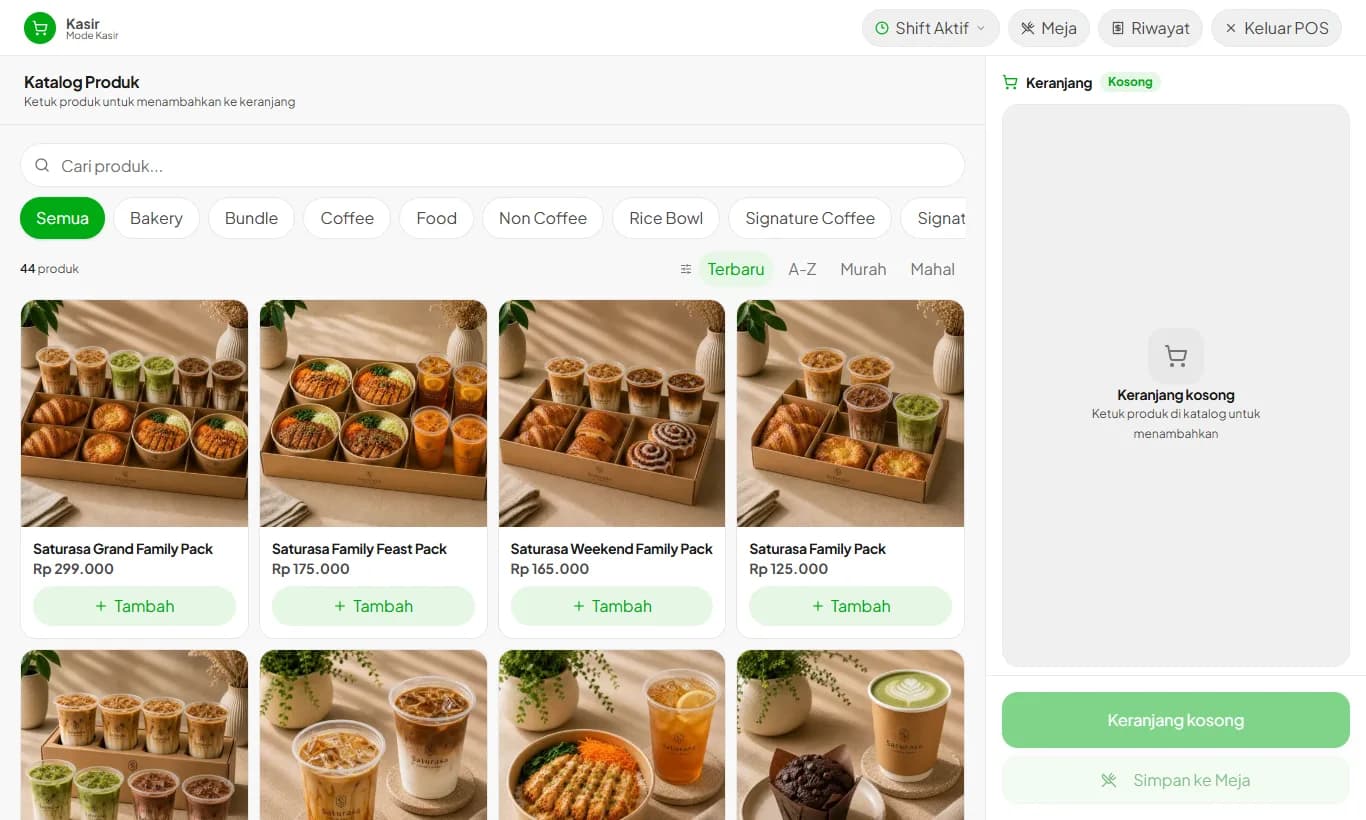
- 1
Open a shift
Cashiers must enter the opening cash before selling. Enter 0 if the drawer is empty.
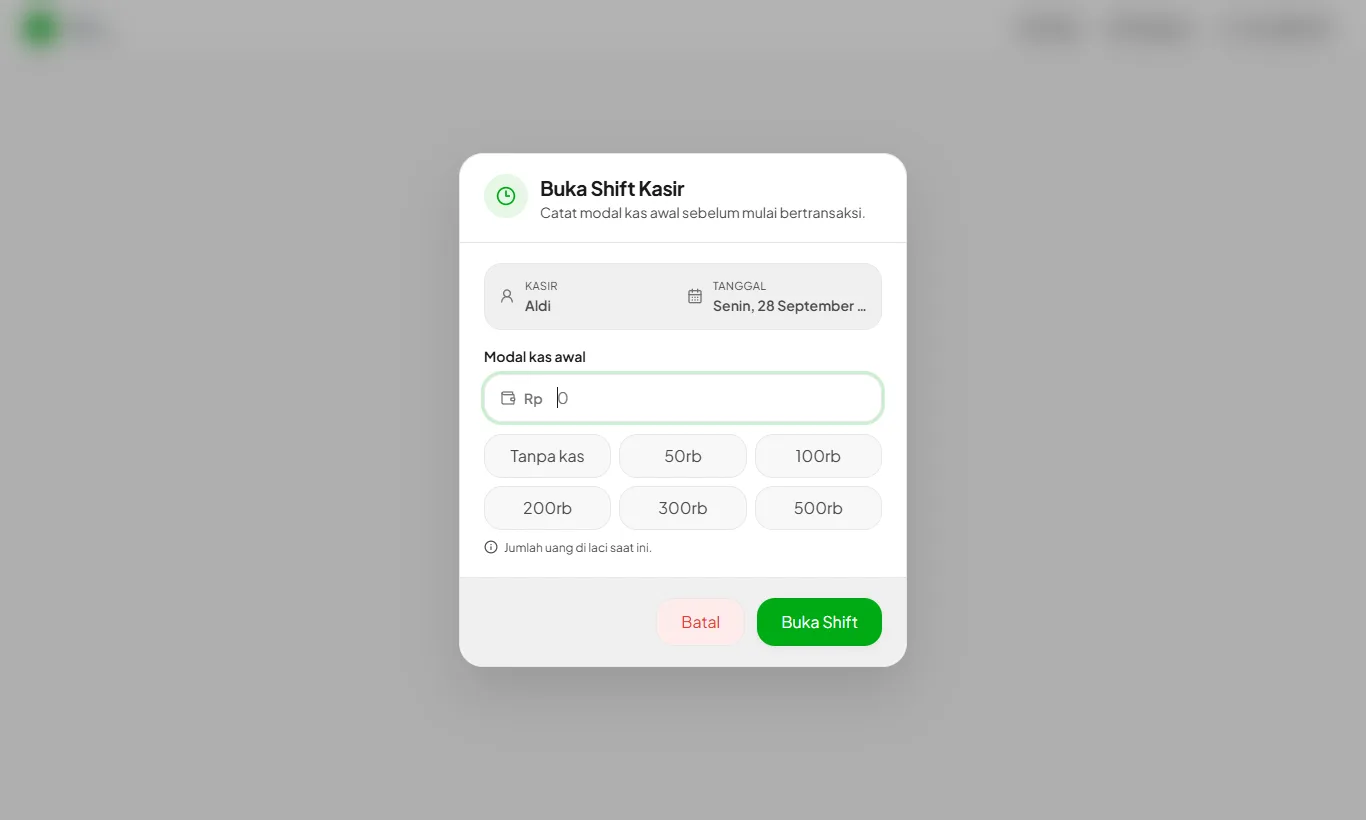
- 2
Add the order
Tap products in the catalog to add them to the cart. Search or filter by category for large menus.
- 3
Pick a customer and promo
Pick a customer so they earn points, then apply a promo or coupon code if any.
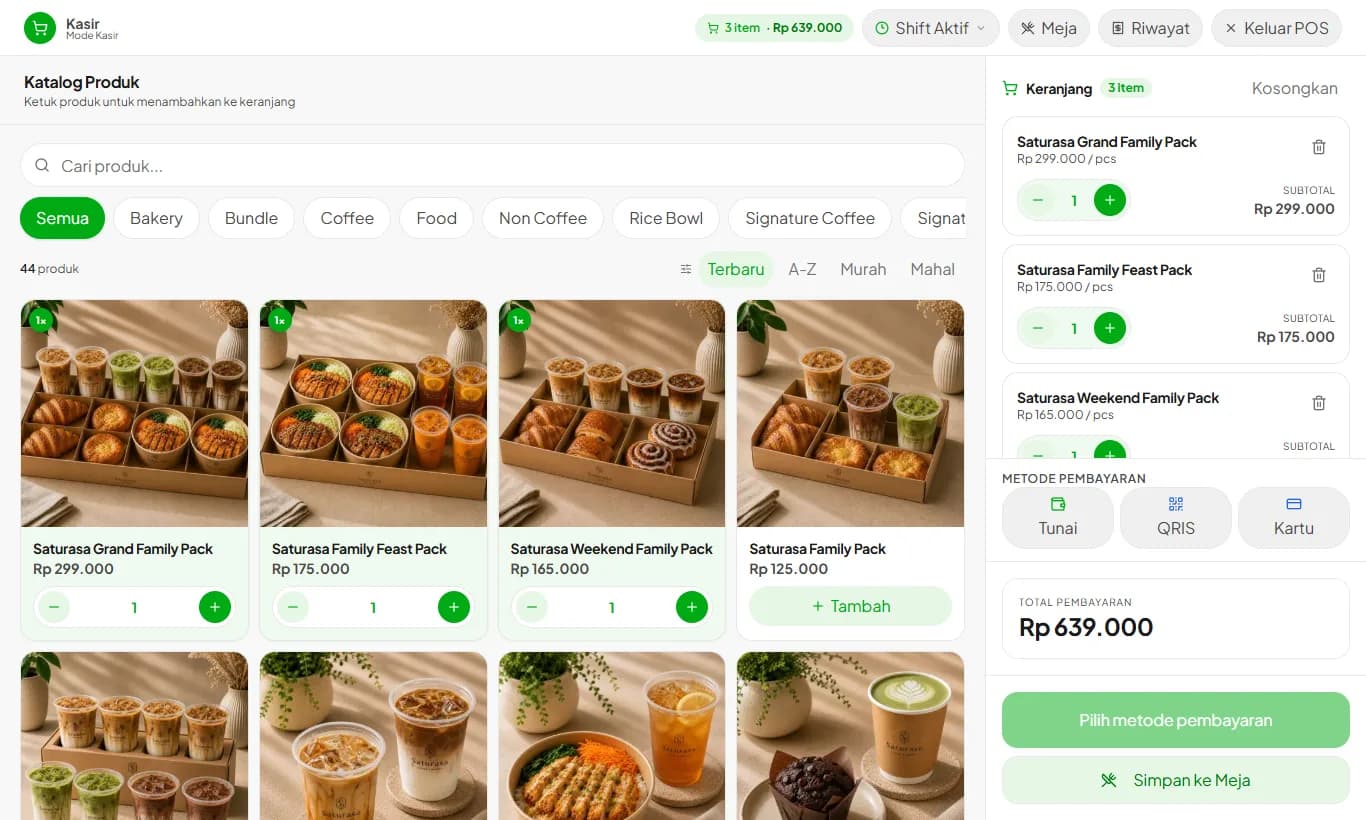
- 4
Take payment
Choose Cash, QRIS, or Card. For cash, enter the amount received and change is calculated for you.
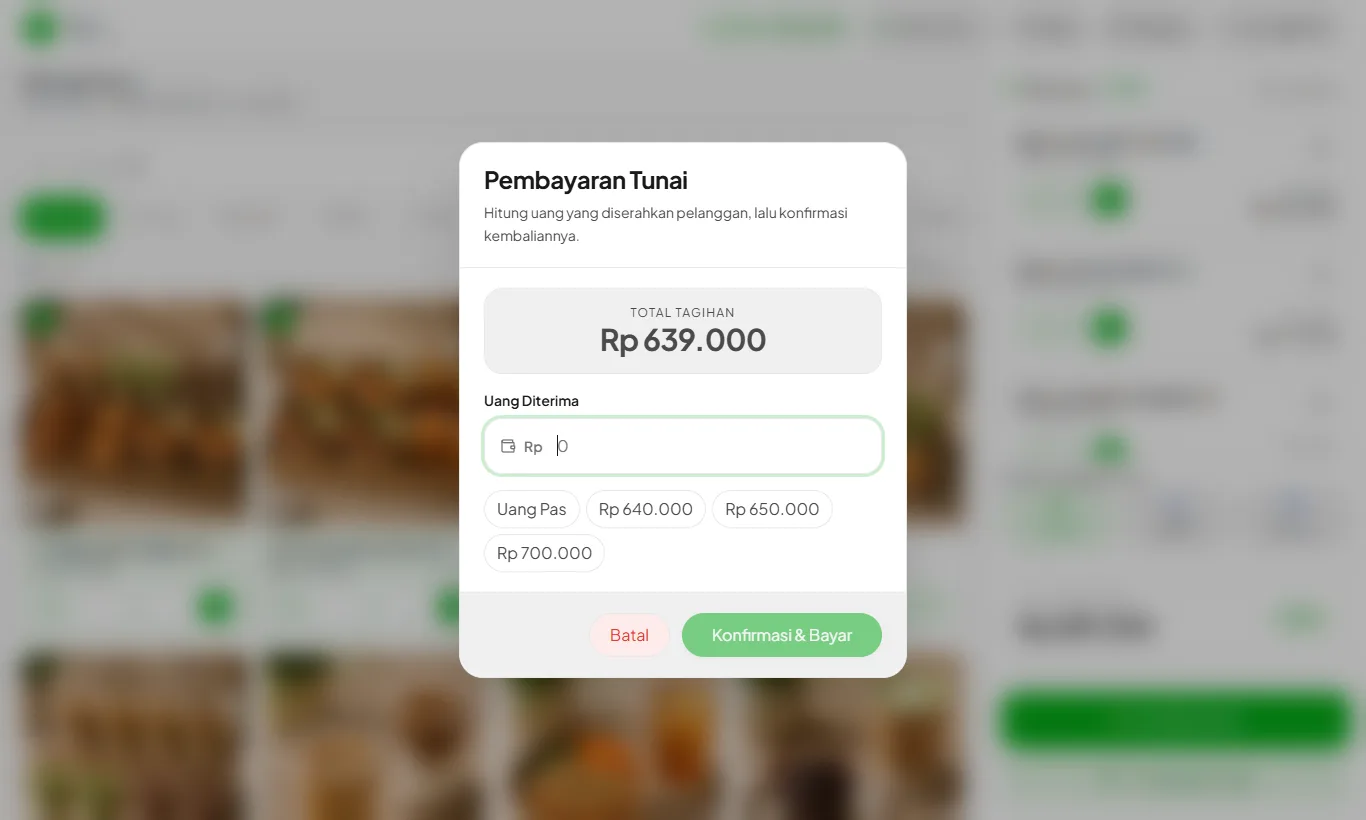
Internet down while paying? The receipt still prints and the sale syncs once you're back online.
Ready to try it in your store?
Sign up free and follow this guide right in the app.