
Cash in and out of the drawer
Record drawer cash spent on ice, water, or gas, and change added to the drawer, so the shift closes without a difference.
Available on Starter, Growth, Enterprise
- 1
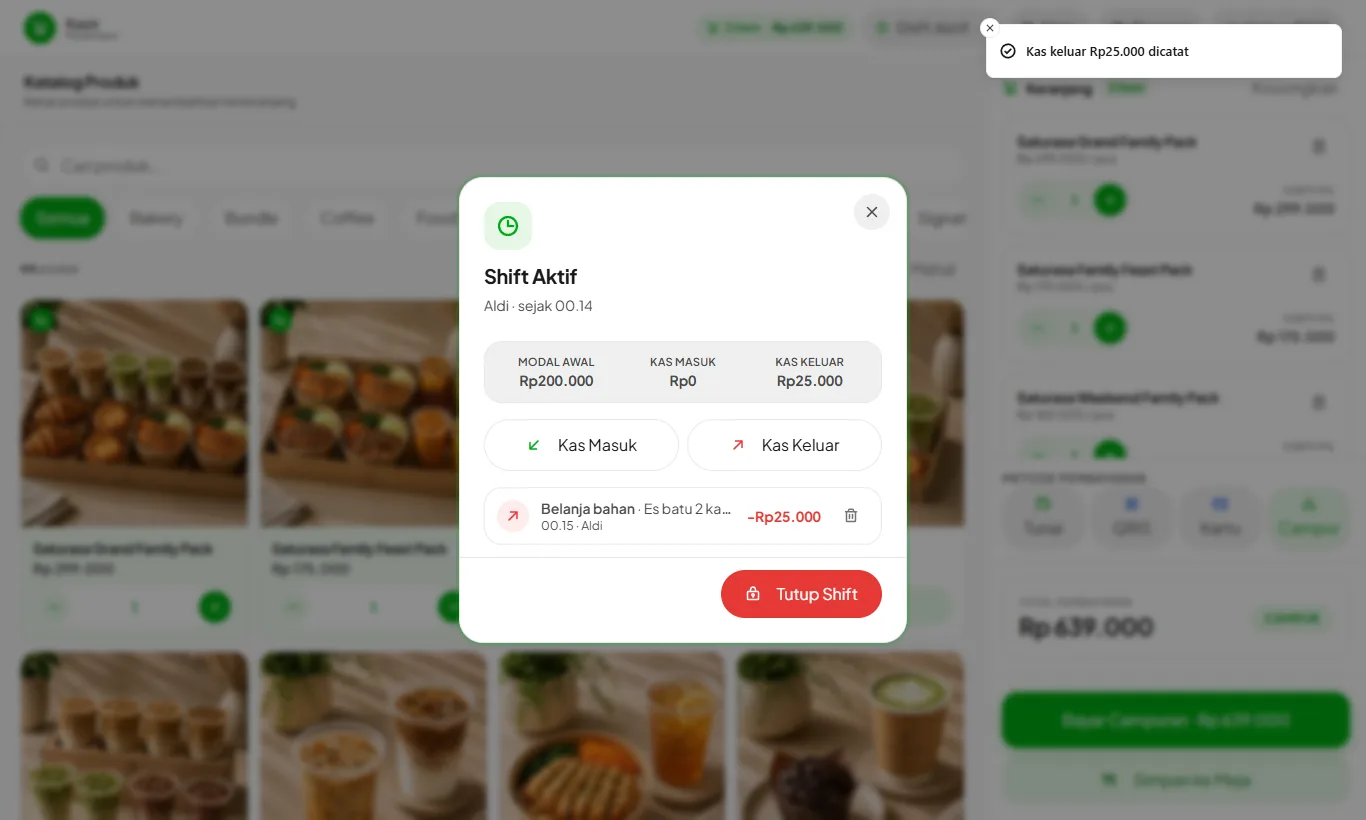
Press Active Shift
In the cashier header, press Active Shift. You see the opening cash, total cash in, total cash out, and this shift's entries.
- 2
Choose Cash Out or Cash In
Cash Out is for money taken from the drawer. Cash In is for money added, such as small notes for change.
- 3
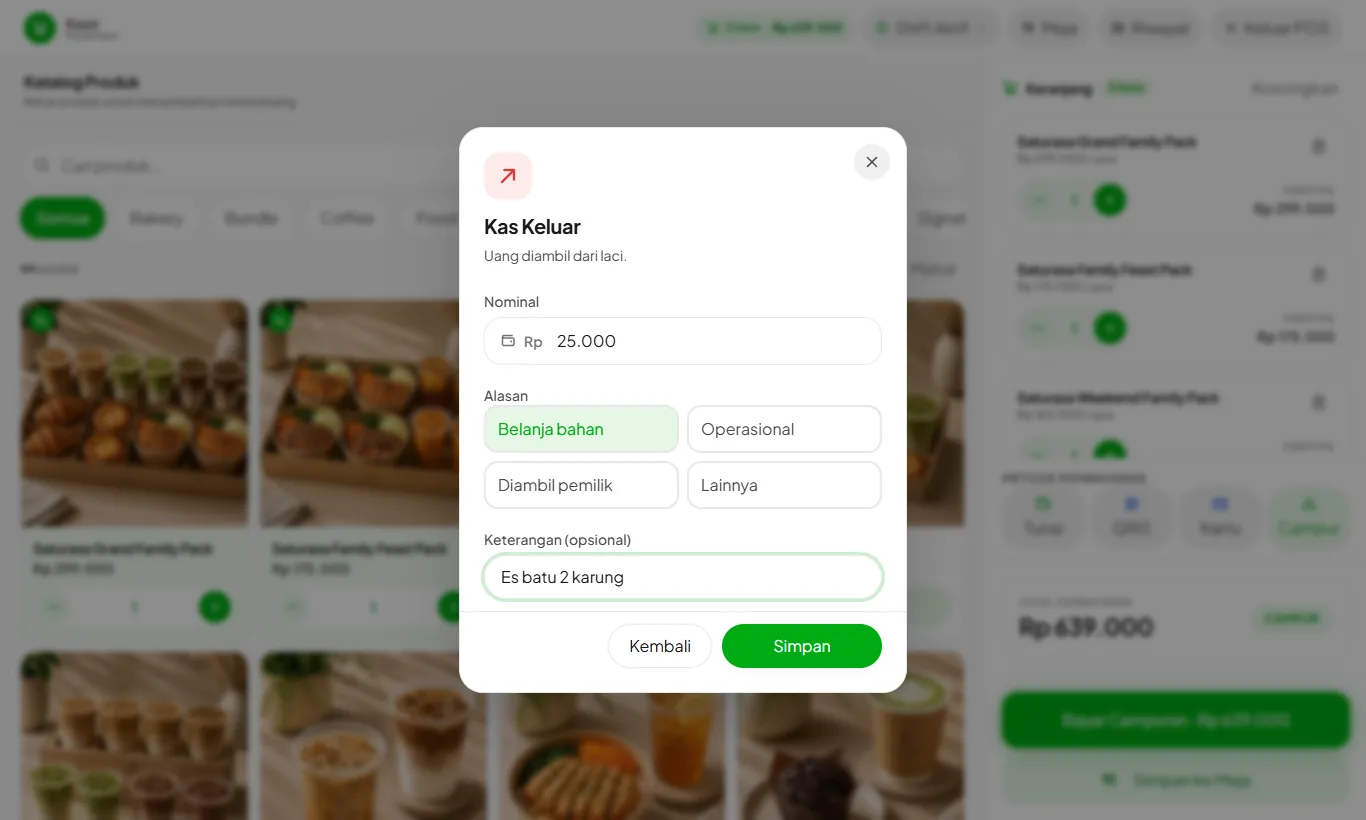
Enter the amount and reason
Enter the amount, pick a reason, and add a note if needed, such as "2 bags of ice". Cash Out reasons: Ingredient shopping, Operations, Taken by owner, or Other. Press Save.
- 4
Made a mistake? Delete it
While the shift is open, an entry can be deleted with the trash icon. Cashiers can only delete their own entries; owners and managers can delete any.
- 5
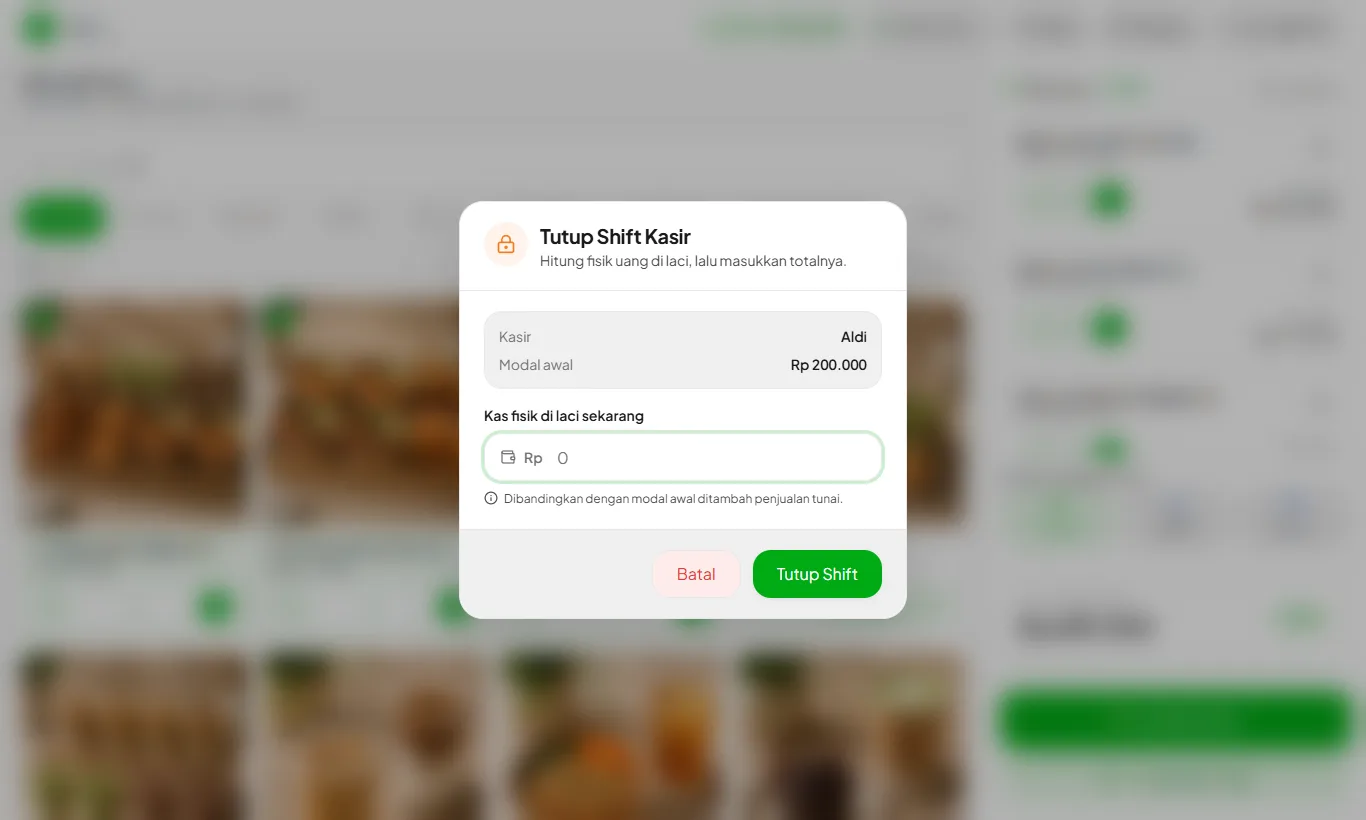
Close the shift as usual
Expected cash automatically adds cash in and subtracts cash out. The breakdown appears in the shift result and the daily email report.
Ingredients bought with drawer cash should still be added in Ingredients with Add Stock so stock and cost update. Choose Paid, Cash. Cash Out only reconciles the drawer, so nothing is counted twice.
On Enterprise, Cash Out with the Operations reason is added to Expenses and the profit and loss report automatically.