
All plans
Transactions, refunds, and reprints
Find transactions, reprint receipts, and refund part or all of an order.
Available on Starter, Growth, Enterprise
- 1
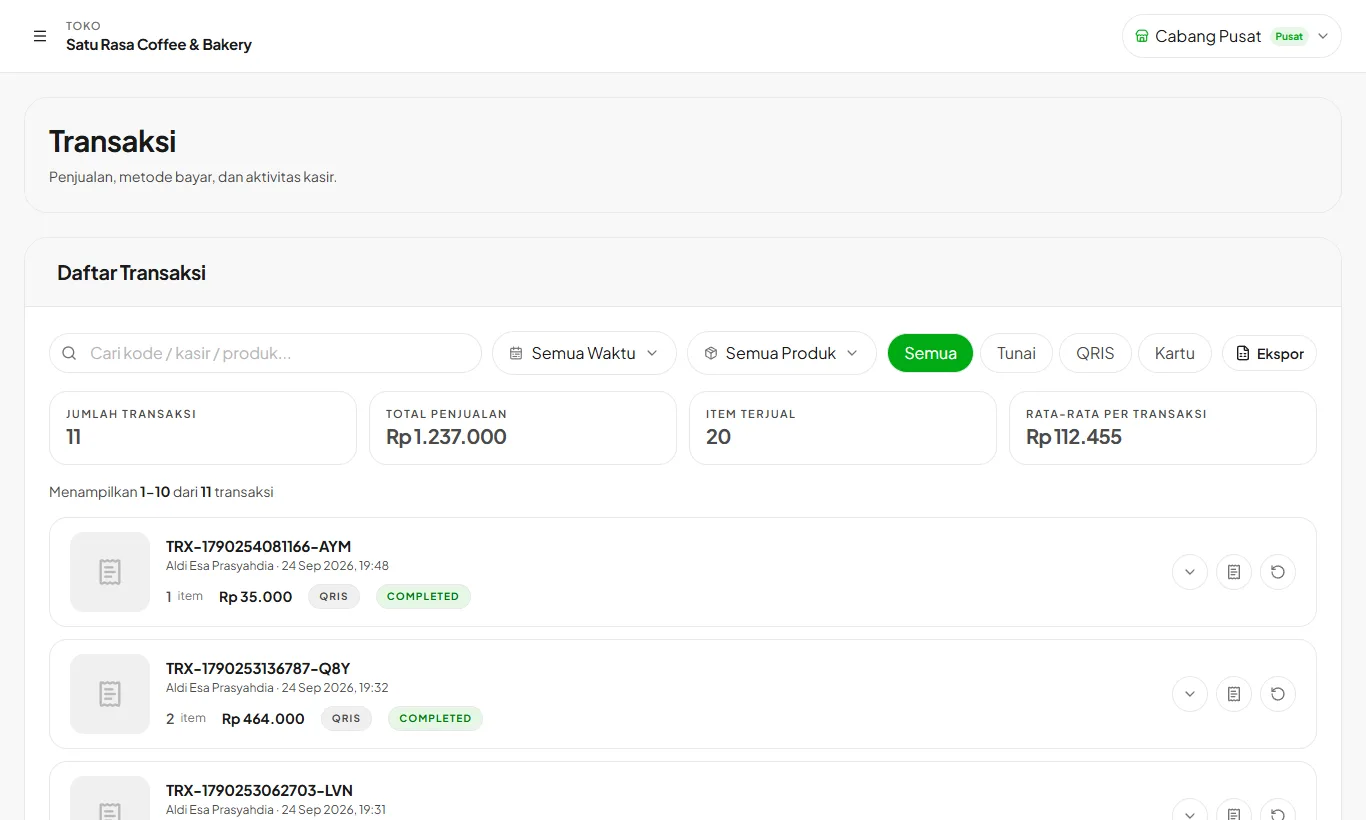
Find a transaction
Open Transactions. Search by code, cashier, or product, and filter by period or payment method.
- 2
Refund or void
Open its details and choose refund. Stock, sales summary, promo usage, and customer points are rolled back.
- 3
Export data
Download the transaction list to Excel or PDF for bookkeeping.
Ready to try it in your store?
Sign up free and follow this guide right in the app.