
All plans
Opening a cashier shift
Enter the opening cash before you start selling. Each cashier opens their own shift.
Available on Starter, Growth, Enterprise
- 1
Open the Cashier
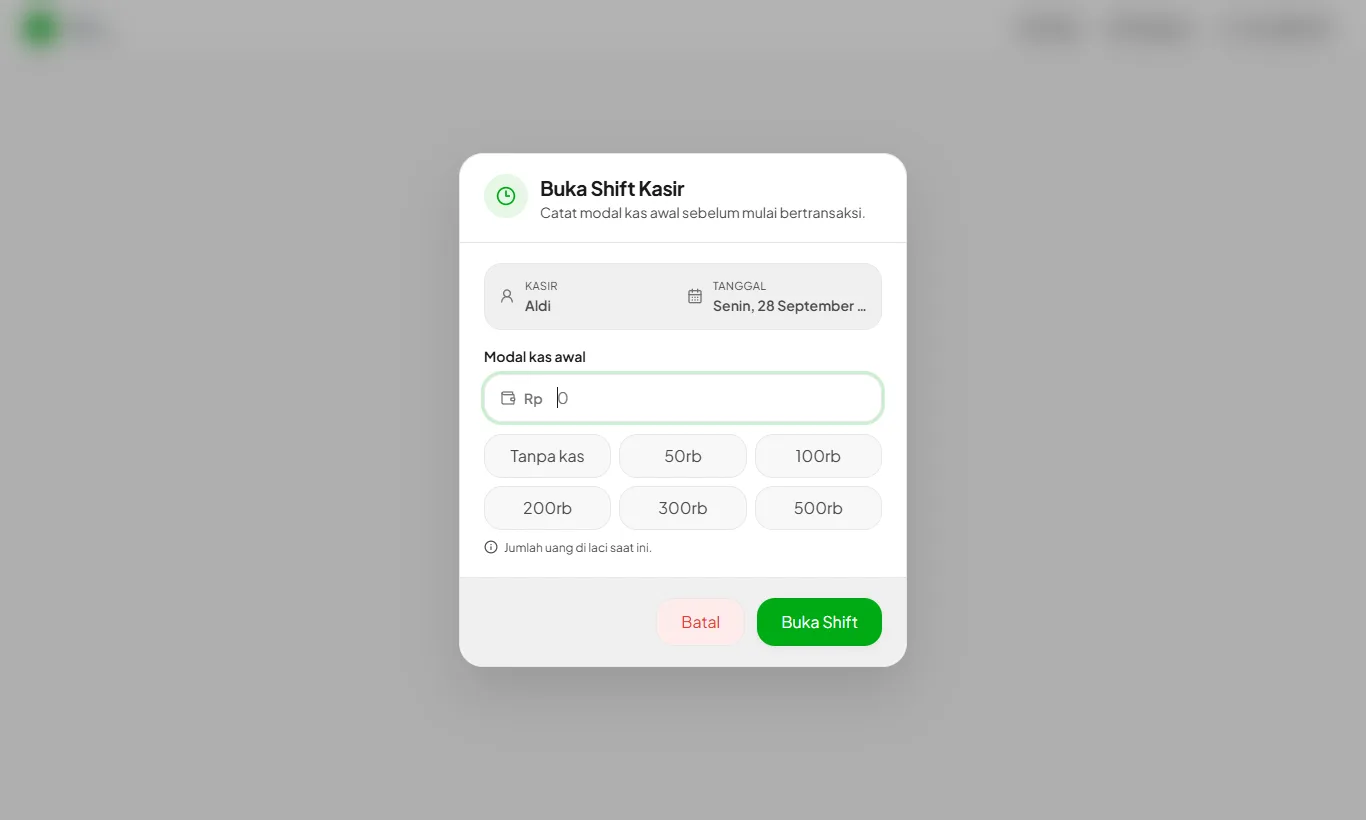
From the dashboard or side menu, open Cashier. If no shift is open yet, the Open Cashier Shift dialog appears.
- 2
Enter the opening cash
Count the money in the drawer and enter the total, for example 200.000. Enter 0 if the drawer is empty. Press Open Shift.
- 3
Start selling
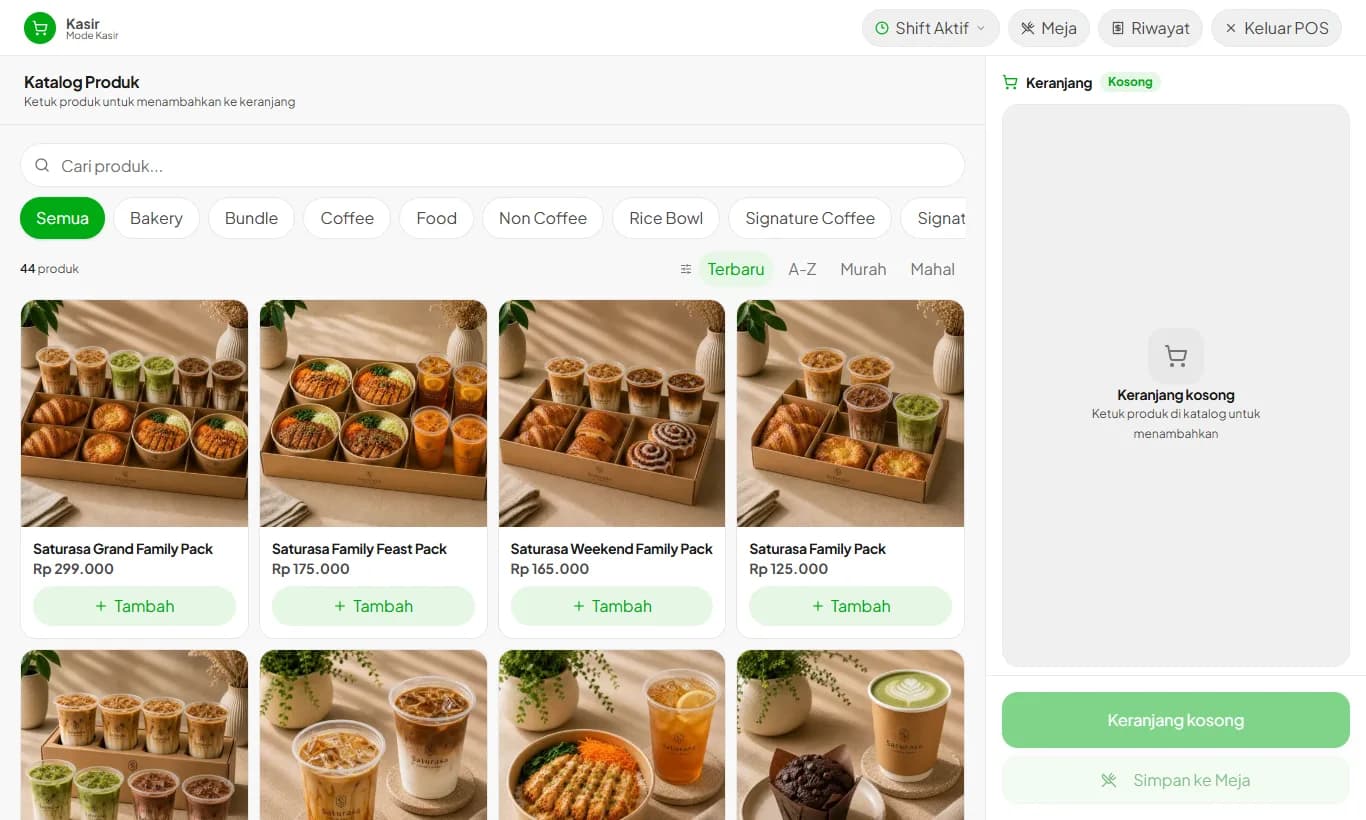
The product catalog opens and the Active Shift button appears in the header. From that button you record cash in and out, then close the shift at the end of the day.
A shift from a previous day that is still open must be closed before a new one can start.
In stores with several branches, shifts are opened per branch.
Ready to try it in your store?
Sign up free and follow this guide right in the app.