
Table reservations
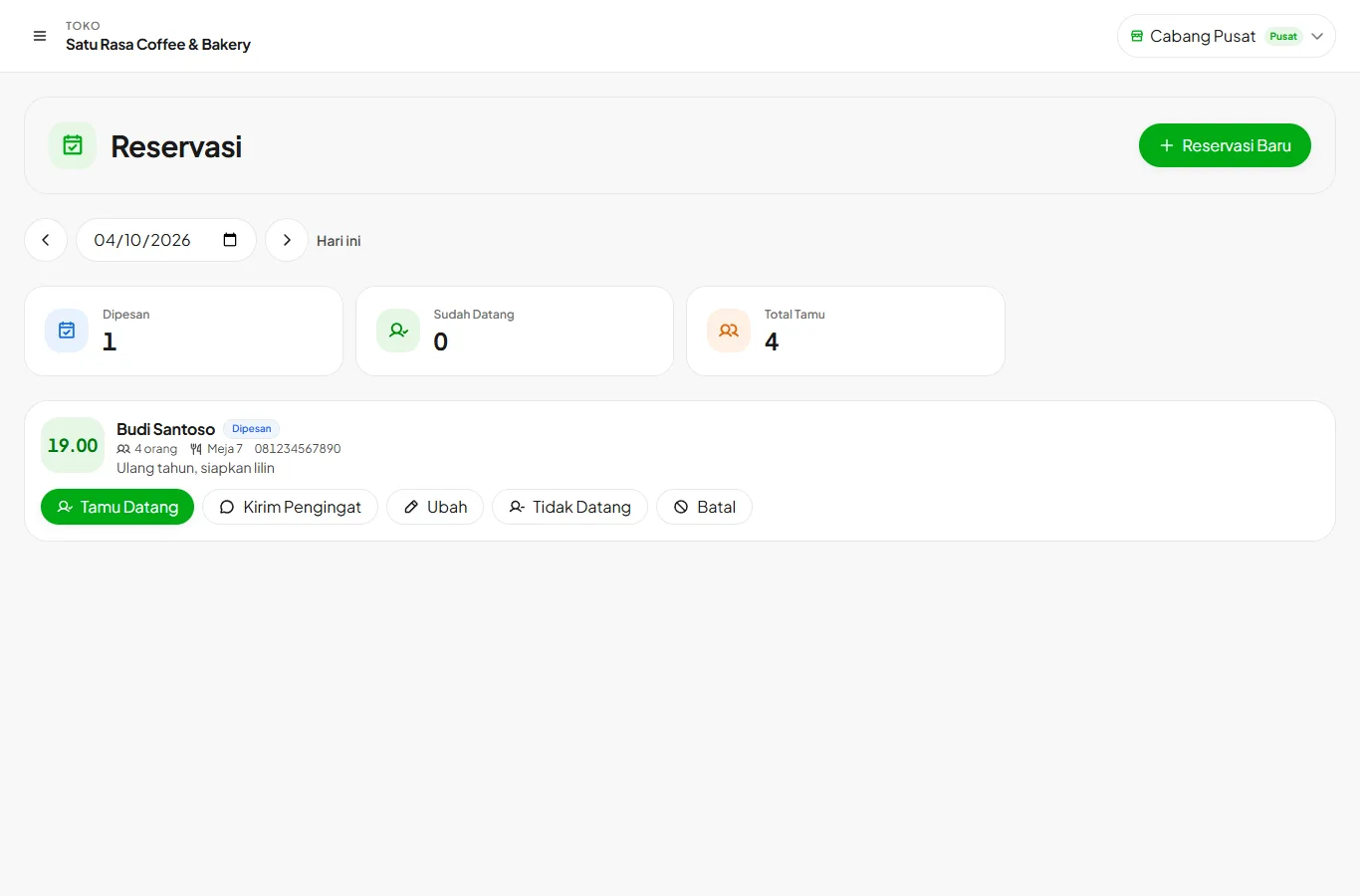
Record reservations, remind guests on WhatsApp, and open a table when they arrive.
Available on Growth, Enterprise
- 1
Record a reservation
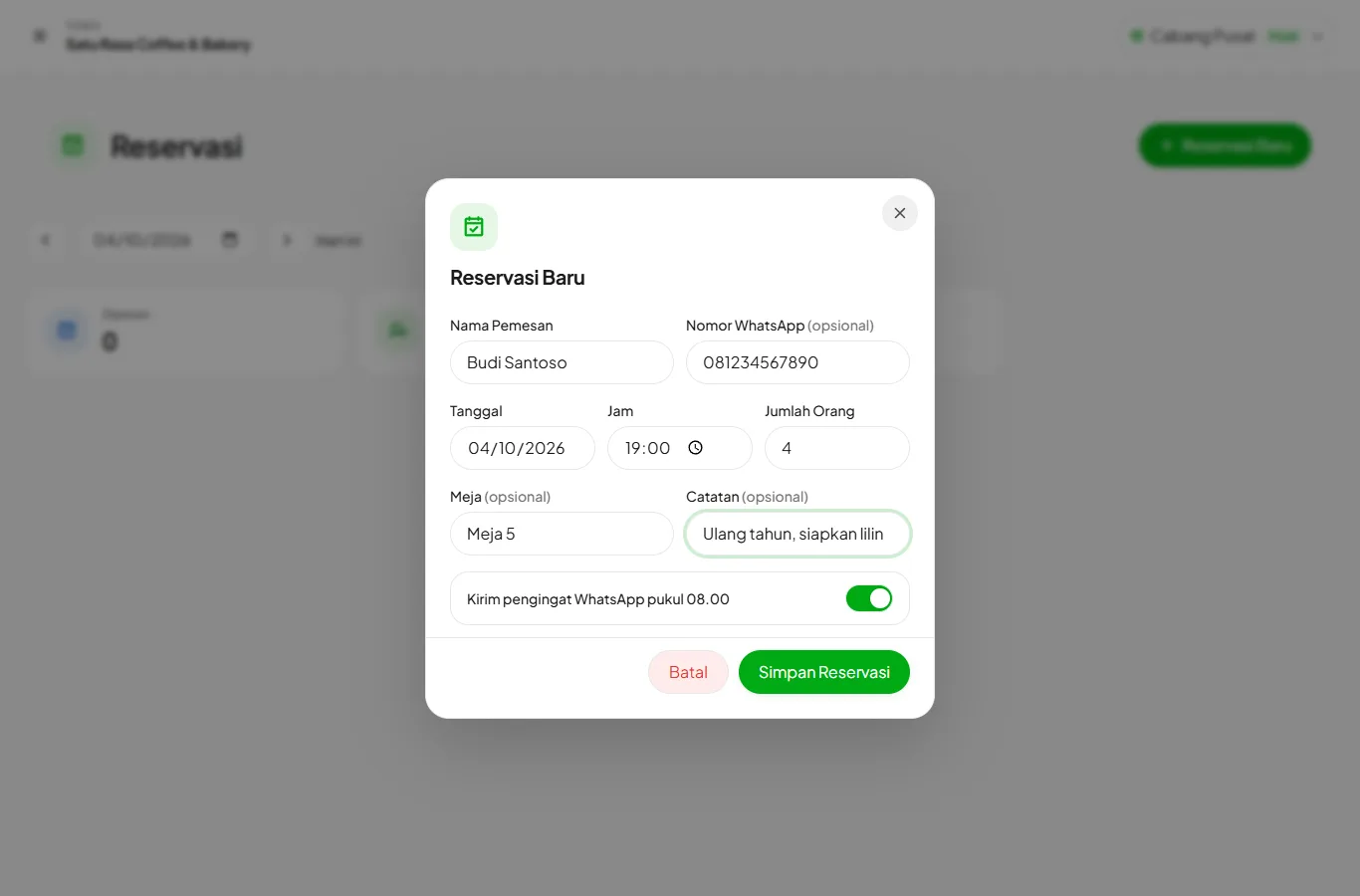
Open Reservations and press New Reservation. Fill in the guest name, date, time, and party size. WhatsApp number, table, and notes are optional.
- 2
Remind the guest
If a WhatsApp number is filled in, a reminder goes out automatically at 08.00 on the reservation day. Press Send Reminder to send one anytime.
- 3
Guest arrives
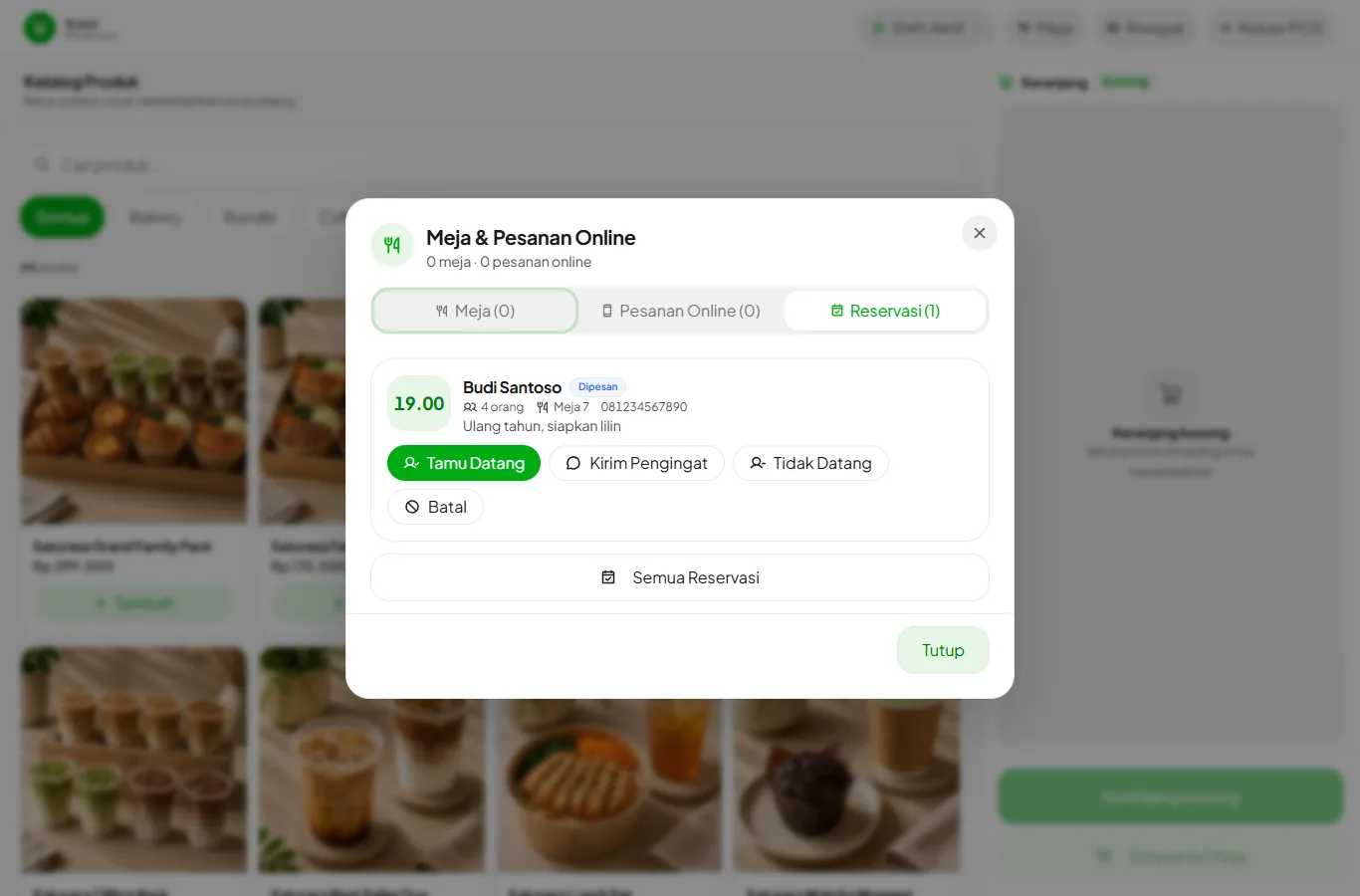
At the cashier, open Tables and choose the Reservations tab. Press Guest Arrived on the reservation.
- 4
Open the table
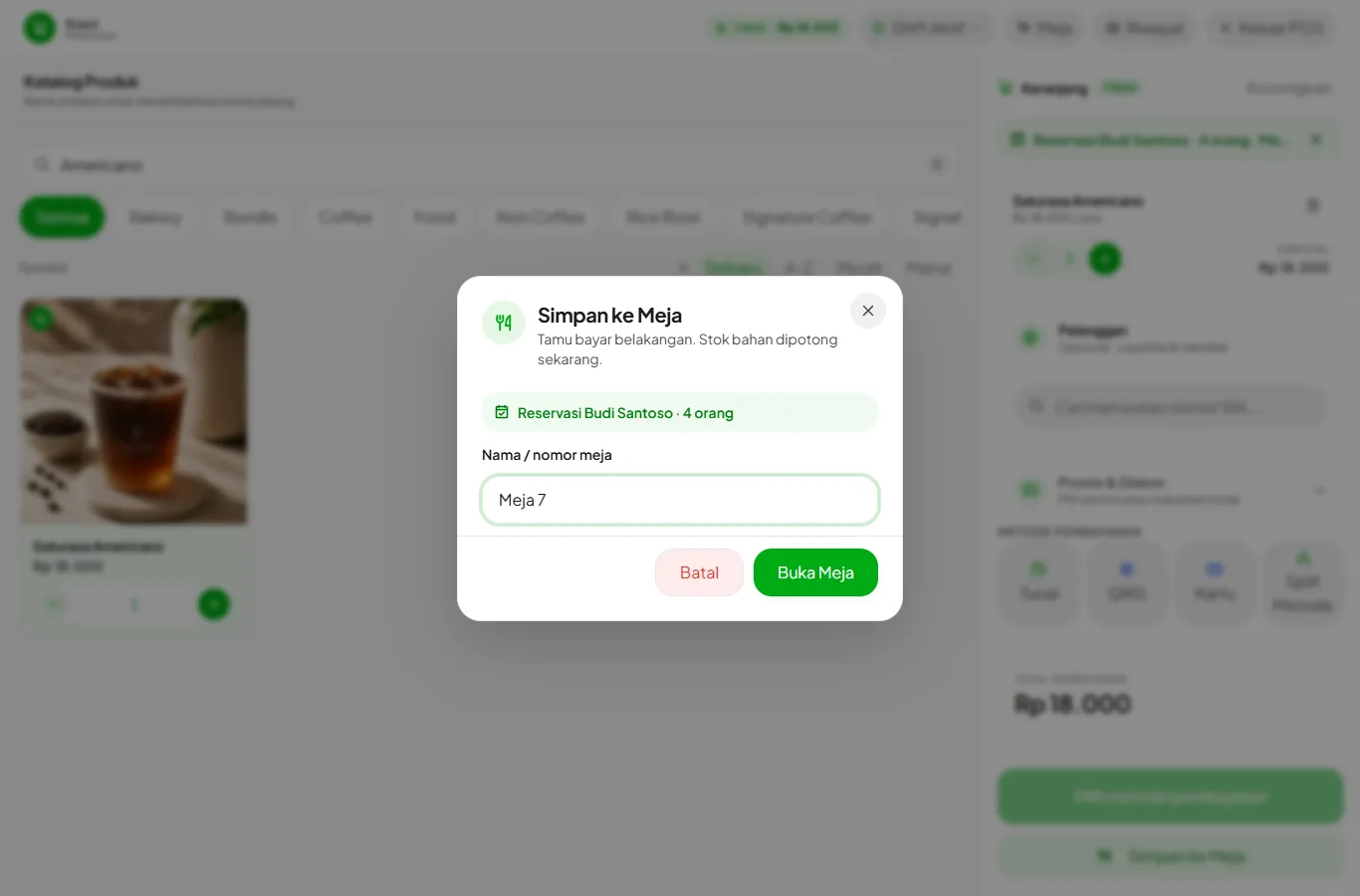
Add the order to the cart and press Save to Table. The table name and the guest's name and number are already filled in from the reservation.
Guest cancelled or didn't show? Mark it Cancelled or No Show to keep the day's list tidy. A wrong mark can be undone.
If the store's WhatsApp isn't connected, Send Reminder opens the message in WhatsApp on the device you're using.