
Split Method
One bill paid partly in cash and the rest by QRIS or card.
Available on Starter, Growth, Enterprise
- 1
Choose Split Method
Once the order is in the cart, choose Split Method, then press the pay button below.
- 2
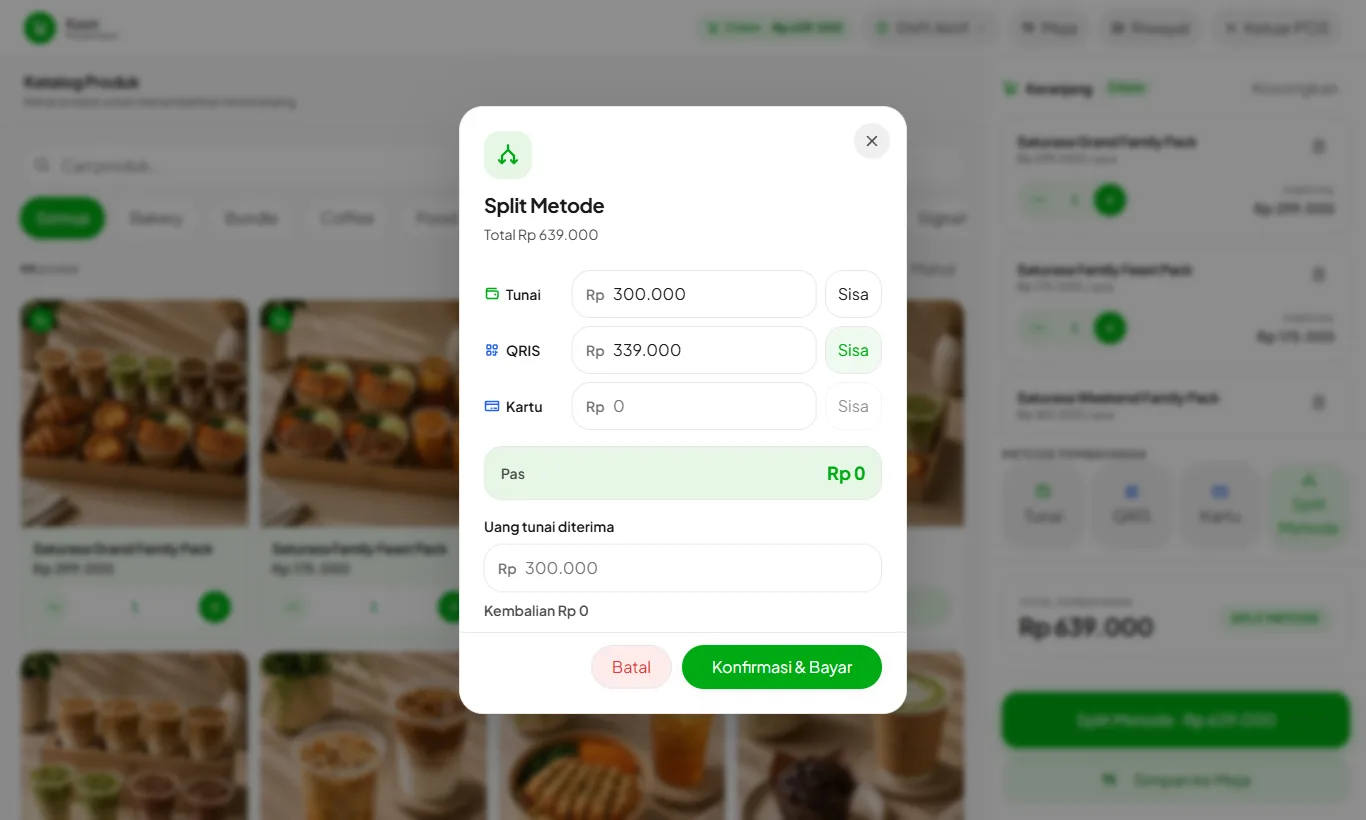
Enter each method's amount
Enter the cash amount, for example 300.000, then press Remainder on the QRIS or Card row to fill the rest. When it reads Exact, the amounts match the total.
- 3
Enter the cash received
If the customer hands over more than the cash portion, fill in Cash received. Change is calculated from the cash portion only. Press Confirm & Pay.
- 4
Settling a table
Table bills can use Split Method too: open Tables, press Pay on the table, then choose Split Method.
Receipts, reports, and shift close record each method's amount. Only the cash portion counts toward the drawer.
Split Method needs an internet connection because the amounts must match the server total.