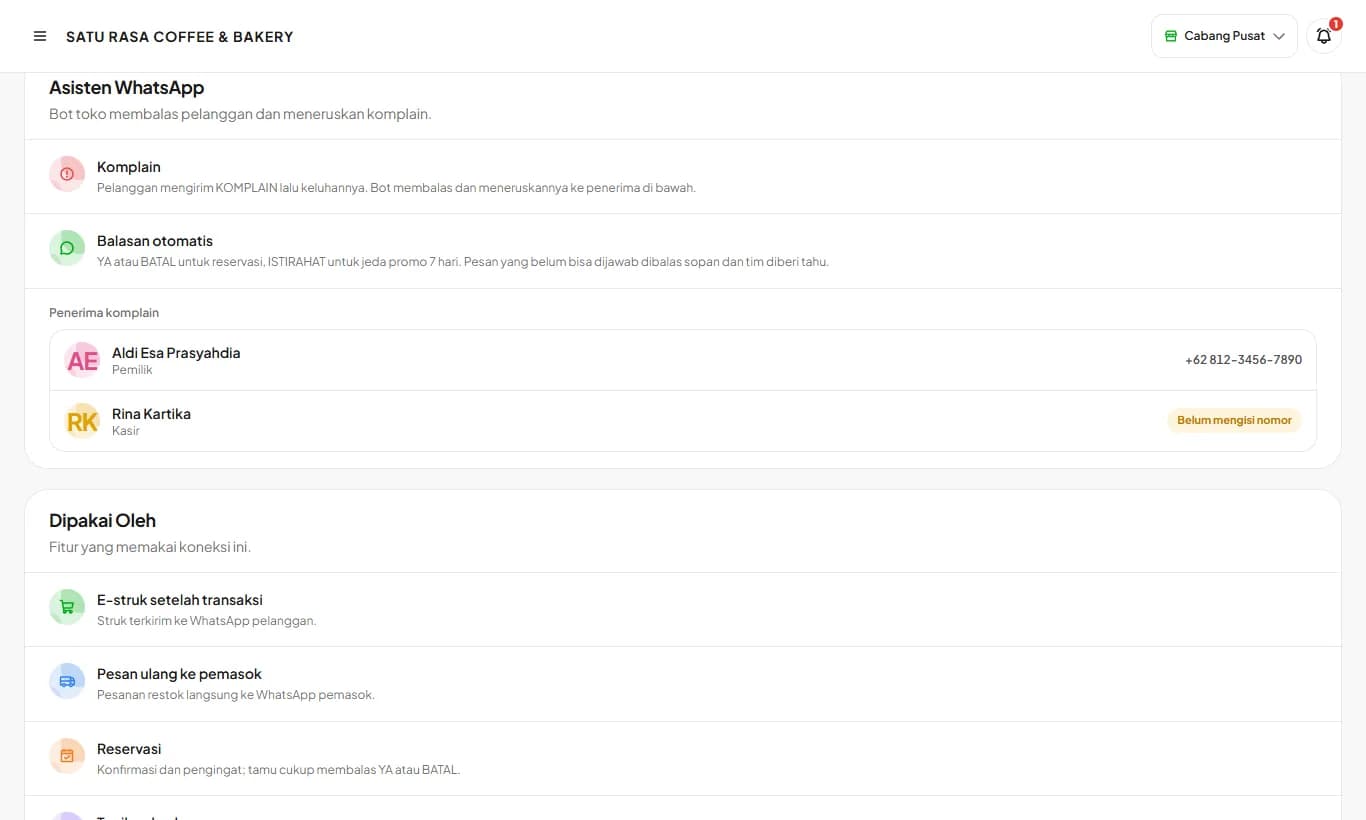
WhatsApp Assistant
The store bot number replies to customers and forwards complaints to the people running the store.
Available on Growth, Enterprise
See the steps· 5 stepsSteps · 5
Step 1
Connect the store bot number
Open Settings then WhatsApp. A QR code appears right away; scan it from WhatsApp on the store phone via Linked devices, then Link a device. This number sends receipts and replies to customers.
Step 2
Customer complaints
Customers send KOMPLAIN followed by their complaint to the bot number, for example KOMPLAIN my order is missing one iced coffee. The bot replies, then forwards it to the WhatsApp of the owner and managers. Stores without a manager forward it to cashiers instead.
Step 3
Automatic replies
Reservation guests just reply YA or BATAL. Customers who reply ISTIRAHAT skip promos for 7 days, and MULAI turns them back on sooner. Long messages the bot can't answer get a polite reply, and the team is notified to respond.
Step 4
Automatic store info
Customers just type MENU, JAM, LOKASI, or RESERVASI to the bot number. MENU gets the QR Menu link (or best sellers when QR Menu is off), JAM the branch opening hours and whether it's open now, LOKASI the address and a map link, RESERVASI the online reservation link. Fill in opening hours and the address under Branches so the answers are complete.
Step 5
Check who gets complaints
The WhatsApp Assistant card in WhatsApp Settings shows who receives complaints and who hasn't added their WhatsApp number yet.
Use a dedicated store number for the bot, not the owner's personal number, so complaints and customer messages don't mix with personal chats.
Ready to try it in your store?
Sign up free and follow this guide right in the app.