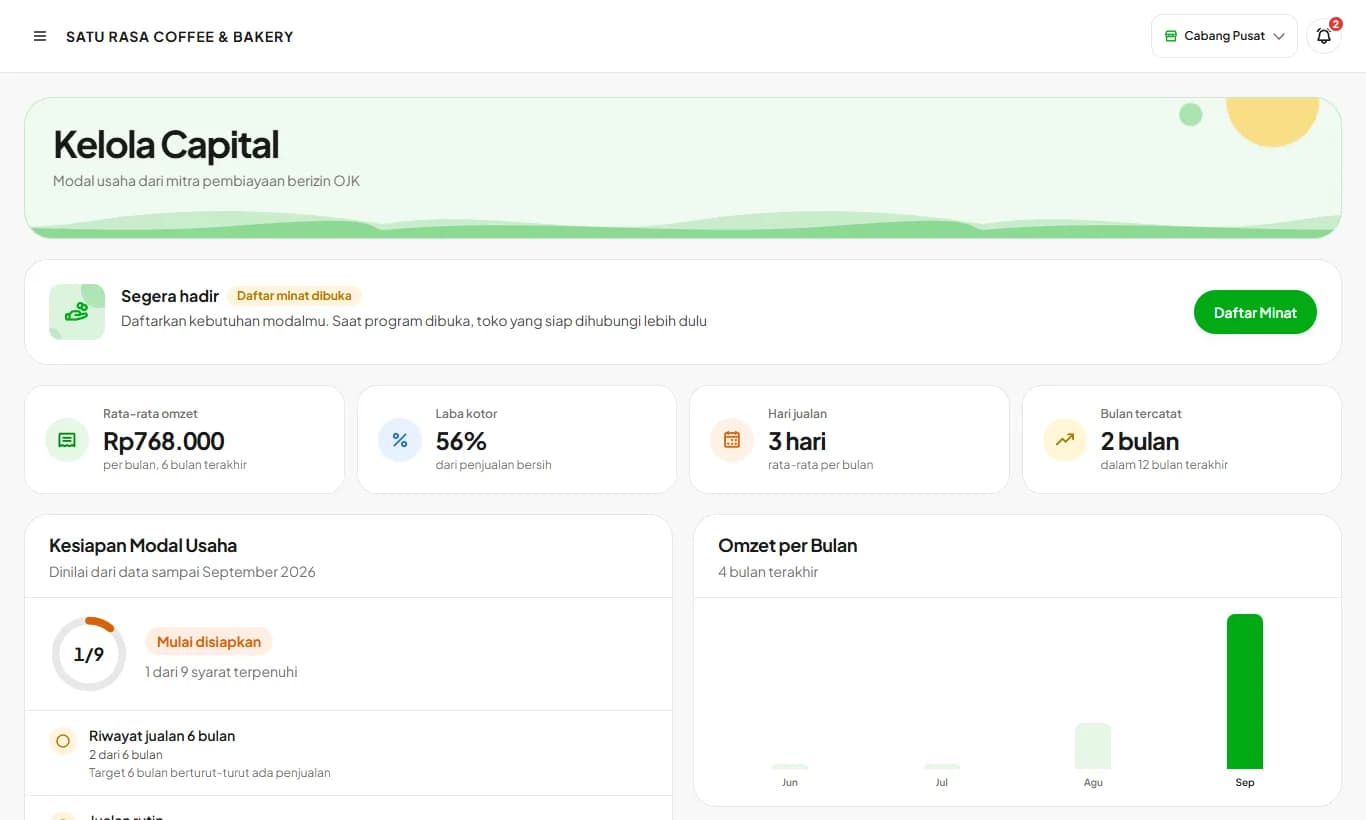
Kelola Capital
Prepare your data and documents once, then send a capital application to OJK-licensed financing partners. Coming soon.
Available on Starter, Growth, Enterprise
See the steps· 5 stepsSteps · 5
Step 1
Open Kelola Capital
Open Finance then Kelola Capital. This menu is for store owners only. Your business summary is built automatically from cashier data every month.
Step 2
Fill in the funding need
Tap Fill In Funding Need, then enter the amount, purpose, and tenor.
Step 3
Complete your data
Tap Edit on Owner Data, Business Profile, and Finance and Account. Fill in your ID card details, business address, NIB, existing loans, and payout account. The Application Checklist card shows what's still missing.
Step 4
Upload documents
In the Documents card, upload your ID card, family card, NIB, front and inside photos of your business, and a 3-month bank statement. Photos straight from your phone work; the statement PDF must not be password-protected.
Step 5
Send your application
Once applications open, turn on data sharing, tap Send Application, tick the statements, then send. The application status shows on this page and is sent to you on WhatsApp.
If the status is Needs completion, read the note, fix the data or documents, then tap Send Again.
Download Package saves all your data and documents in one PDF that you can take straight to a bank.
Costed recipes, closing the shift every day, and recorded expenses make your readiness assessment more complete.
Ready to try it in your store?
Sign up free and follow this guide right in the app.