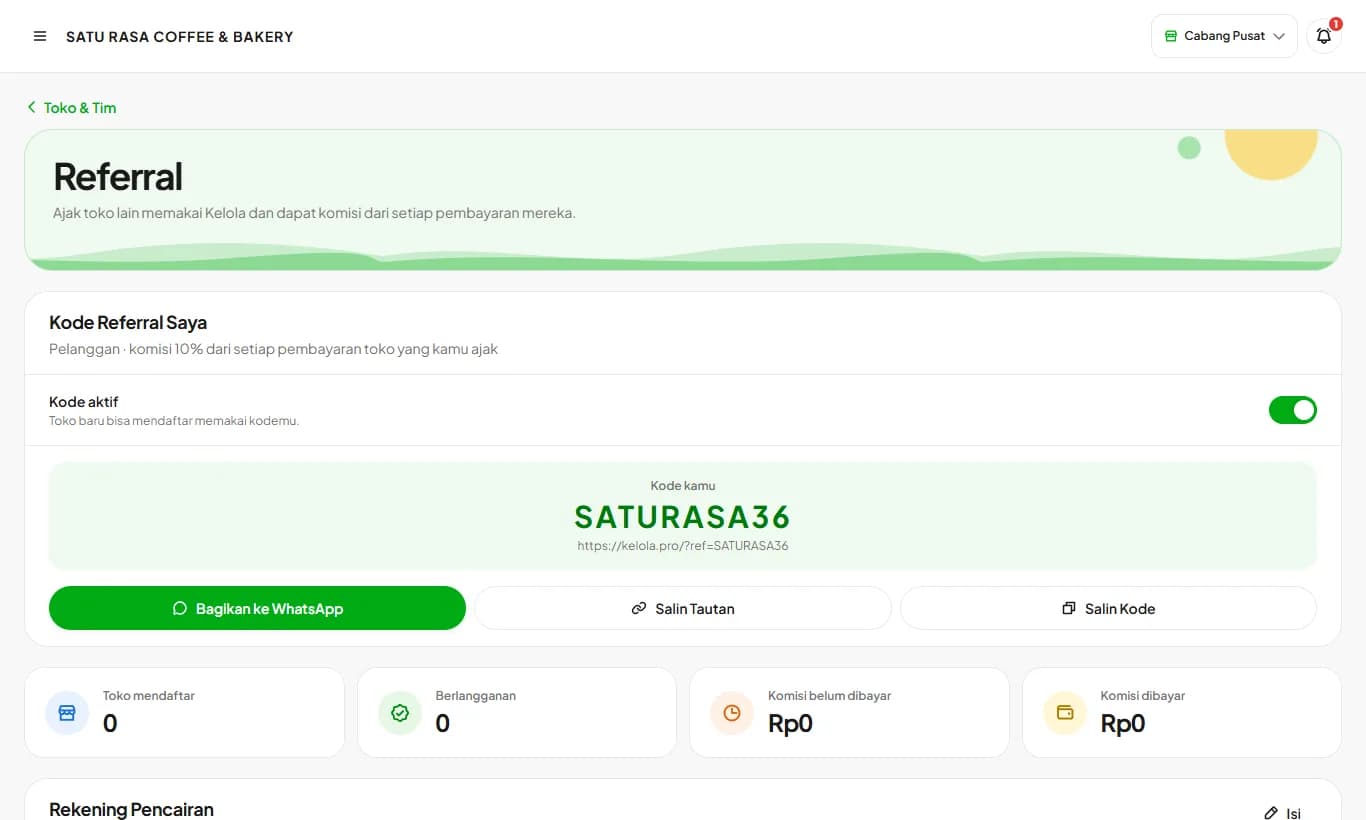
My Referral Code
Invite other stores to Kelola and earn 10% of every payment they make, for as long as they subscribe.
Available on Starter, Growth, Enterprise
See the steps· 4 stepsSteps · 4
Step 1
Turn on your code
Open Store & Team then Referral. This menu is for store owners only and starts switched off. Turn on Activate referral code and press Yes, Activate. Your code and link are created from your store name.
Step 2
Share with other business owners
Press Share to WhatsApp to send a ready-made message with your link, or Copy Link and Copy Code. Stores that sign up through your link or enter your code when registering are recorded under your name. They skip the free trial and pay upfront with a 1-month bonus: pay 1 month to get 2, pay 1 year to get 13 months.
Step 3
Add your payout account
Press Add on the Payout Account card, then enter your bank or e-wallet, account number, and account name. Commission is transferred here each time a store you invited pays.
Step 4
Track stores and commission
The same page lists the stores you invited with their status (Trial, Subscribed, Stopped) and your commission history. Kelola also messages you on WhatsApp when a new store uses your code, when commission is recorded, and when it has been transferred. Bonus months earn no commission, and the code does not apply to your own stores.
Ready to try it in your store?
Sign up free and follow this guide right in the app.