Collaboration (Content Partner)
For stores invited to the Content Partner Program: approve the contract, send monthly content, and track the target.
Available on Starter, Growth, Enterprise
See the steps· 3 stepsStep 1
Approve the contract
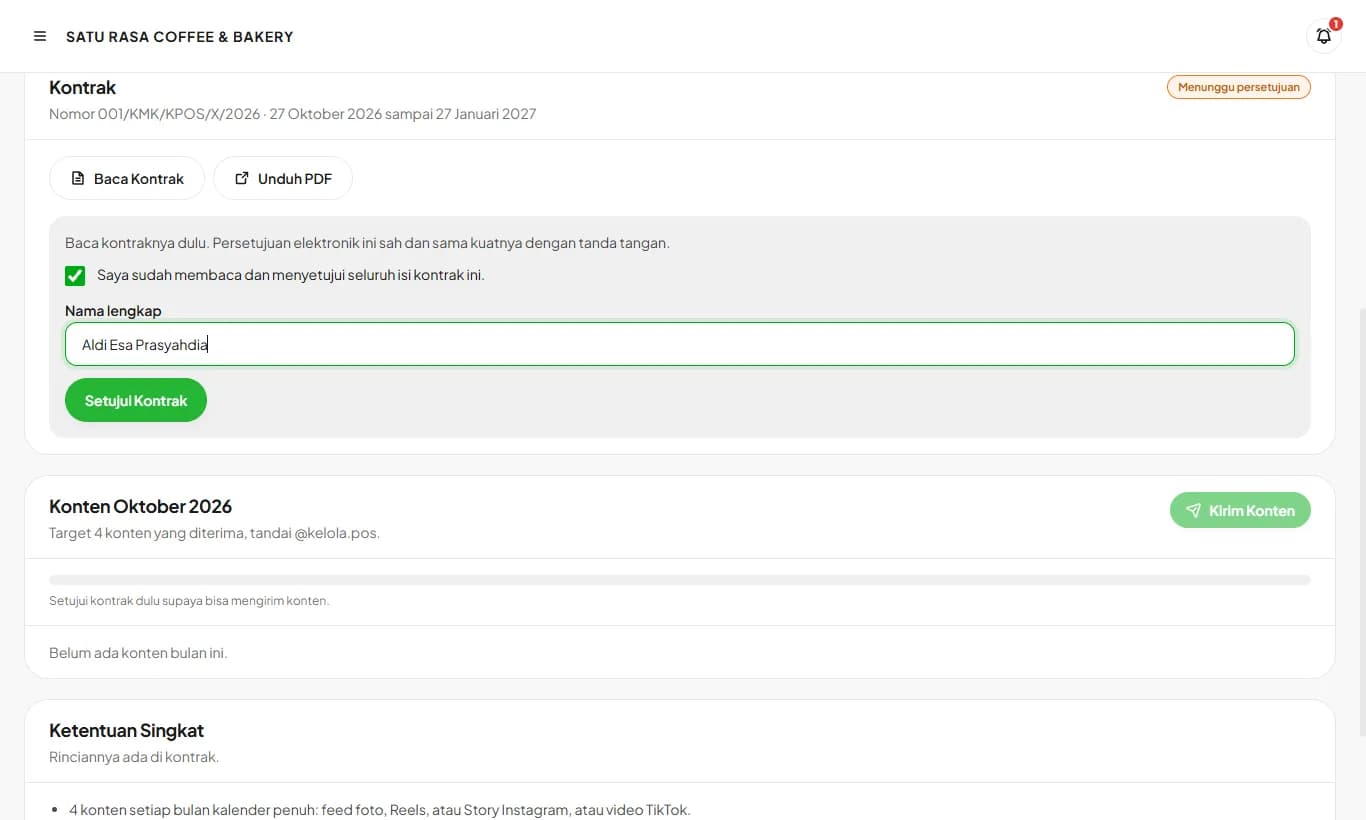
Once the Kelola team enrolls your store, the Collaboration menu appears in Settings and you get a WhatsApp message. Read the contract, tick the approval box, type your full name, then tap Approve Contract. This electronic approval is valid, and the contract PDF can be downloaded any time.
Step 2
Send content every month
Tap Send Content, choose Instagram or TikTok and the format, then paste the post link. For a Story, upload a screenshot since Stories disappear within 24 hours. Every post must tag @kelola.pos. Content that has not been reviewed can still be withdrawn.
Step 3
Track the target and contract period
The cards at the top show your partner tier, contract period, content accepted this month, and your referral code. WhatsApp reminders arrive on the 20th and 27th if the target is not met yet, and a week before the contract ends.
After the contract ends, your subscription returns to the normal price and your referral code keeps working with the 10% customer commission.
Ready to try it in your store?
Sign up free and follow this guide right in the app.