Paying for your plan, invoices, and receipts
Invoices arrive by email and WhatsApp for every bill, you pay from the Subscription menu, and an official receipt follows automatically.
Available on Starter, Growth, Enterprise
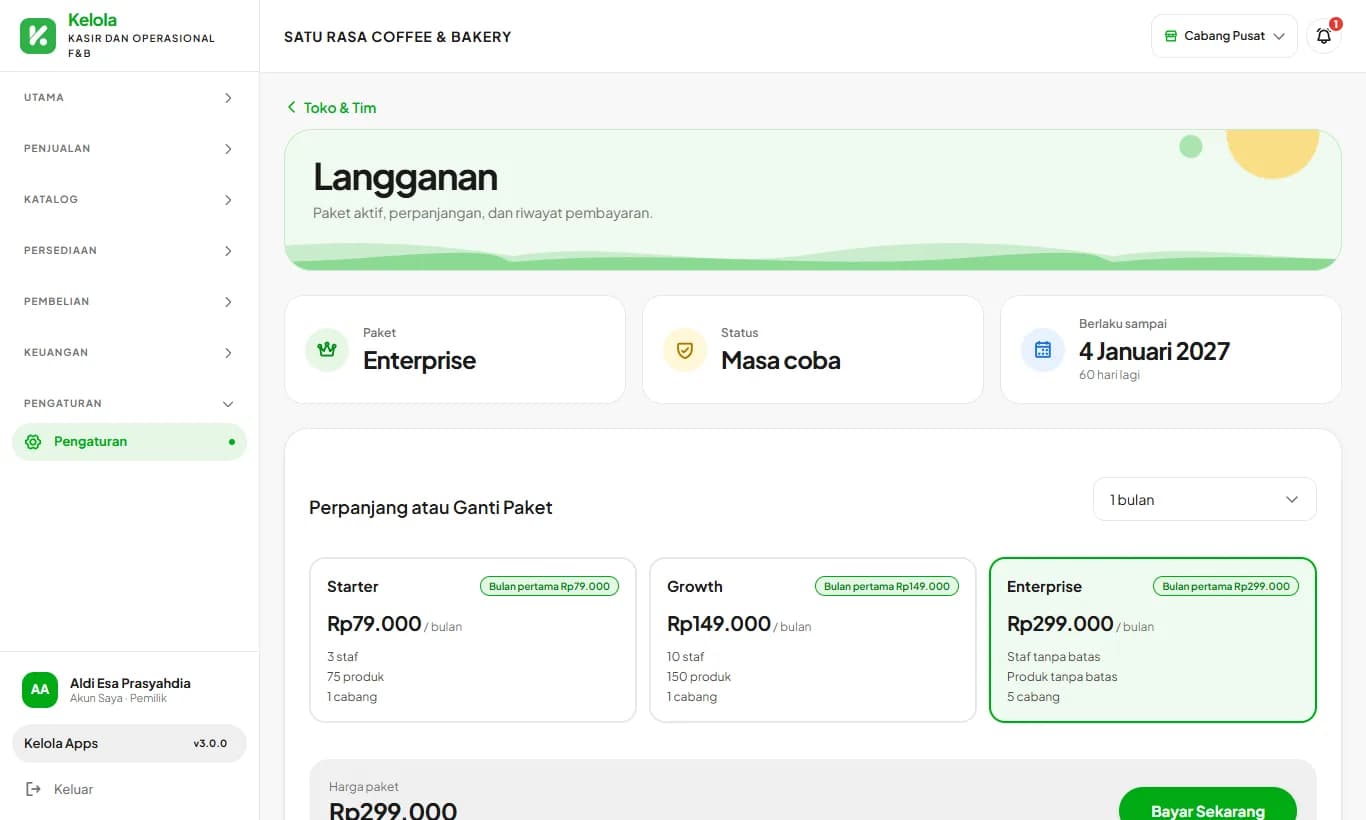
Open SubscriptionSee the steps· 4 stepsSteps · 4
Step 1
Invoices arrive on their own
Seven days before your period ends, a renewal invoice with its PDF goes to the owner's email and WhatsApp, listing the plan, add-ons, period, total, and due date. Add-on bills set up by the Kelola team arrive the same way. Reminders follow 3 days and 1 day before the due date.
Step 2
Pay from the Subscription menu
Sign in as the owner, open Subscription, then press Pay. Choose QRIS or a bank Virtual Account. The QRIS code or account number appears right away, and the plan activates once payment is received.
Step 3
Official receipt automatically
Once payment is received, an official receipt goes to the owner's email and WhatsApp. It shows the payment details, payment fee, total paid, amount in words, the new active period, and a paid stamp.
Step 4
Download again any time
Every invoice and receipt is kept under Invoices and Receipts on the Subscription page, with its number and status, and can be downloaded again for your bookkeeping.
Invoices and receipts go to the owner account's email and verified WhatsApp number. Make sure both are correct in My Account.
Ready to try it in your store?
Sign up free and follow this guide right in the app.