Reservation deposits
Ask for a deposit or full payment when guests book. The deposit comes off the bill when they arrive.
Available on Growth, Enterprise
See the steps· 6 stepsSteps · 6
Step 1
Set up deposits
Open Settings then Reservations, Deposit section. Choose Optional or Required, then set how it is calculated: per guest, percent of the menu, or a fixed amount. Also set the refund on cancellation, the payment deadline, and payment instructions.
Step 2
Receive a deposit
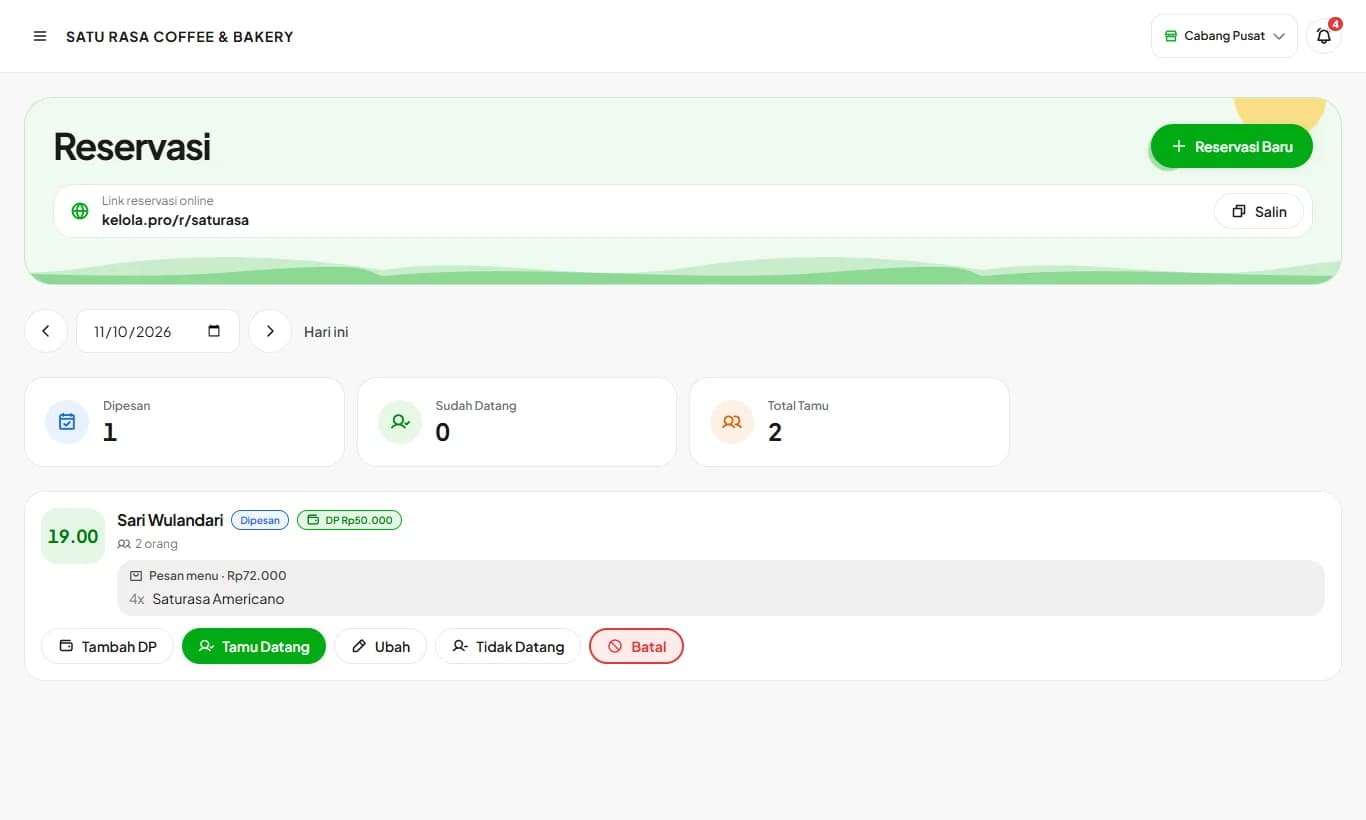
On the Reservations page, press Receive Deposit. The minimum amount is filled in. Choose Deposit or Pay in Full, then the payment method: cash, QRIS, transfer, or card. Cash goes into the open shift's drawer.
Step 3
Track it on the reservation card
The reservation card shows the deposit received. Online bookings that haven't paid are marked Awaiting Deposit, and turn red once the payment deadline passes.
Step 4
Online bookings
On your booking link, customers choose pay at the store, deposit, or pay in full when they pre-order. The deposit terms follow your refund setting.
Step 5
The customer pays
After booking, customers see the deposit total, the deadline, and payment instructions. The Send payment proof via WhatsApp button opens their WhatsApp with the message filled in. Once you receive the proof, press Receive Deposit.
Step 6
Guest arrives
Press Guest Arrived. At the cashier, the deposit comes off the bill and only the remaining amount is charged. If the deposit is larger than the bill, the cashier is reminded to return the difference in cash.
Owners and managers can refund or forfeit the deposit of a cancelled booking. The Refund Deposit button follows the refund percent in settings.
Deposits are recorded apart from sales, so reports and the shift drawer never count them twice.
Ready to try it in your store?
Sign up free and follow this guide right in the app.